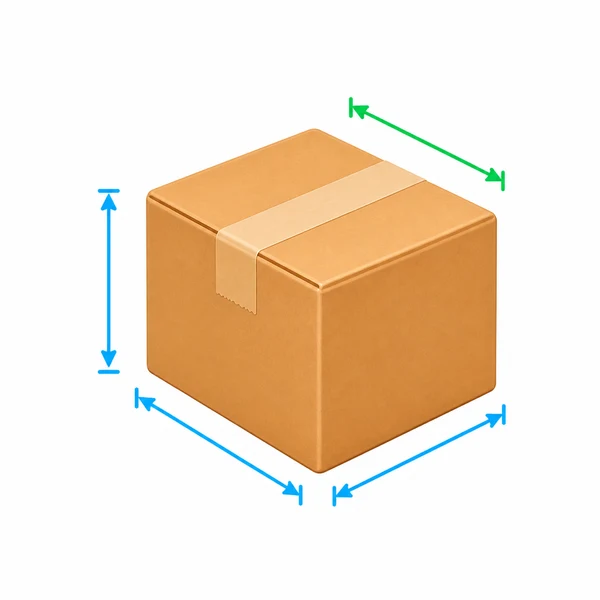
Your package at a glance
Illustrative dimensions · Enter all three dimensions to see your package
Measure the outside of the packed parcel. Include the box and cushioning in its weight.
Understand your parcel dimensions and weight, compare two packaging options, and see what is worth changing.
Illustrative dimensions · Enter all three dimensions to see your package
Measure the outside of the packed parcel. Include the box and cushioning in its weight.
Option A · Current packaging
Reference billable weight is the higher of actual and DIM weight. Service rounding, DIM eligibility and surcharges are not applied. This page does not determine carrier acceptance.
Use the same units and factor to see how another box changes volume and reference billable weight. Option B is optional and does not affect the single-package check.
| Metric | A | B | B vs A |
|---|
Less volume does not guarantee a lower rate. The comparison does not verify that the contents fit or that cushioning and protection are sufficient.
These are illustrative examples, not carrier rules. Loading one replaces option A and clears option B for a fresh comparison.
18 × 14 × 12 in · 2 lb
When DIM weight exceeds actual weight, compare a more compact package.
8 × 6 × 4 in · 8 lb
A smaller box may still leave actual weight as the reference billable weight.
36 × 6 × 6 in · 4 lb
Check the longest side and length plus girth as well as volume.
16 × 12 × 2 in · 2 lb
Even a thin parcel has volume. Measure its maximum packed thickness.
Pack first, then measure the outermost length, width and height. Weigh the parcel with all packaging materials.
The tool identifies the longest side. Girth is twice the sum of the remaining sides; length plus girth adds the longest side. Input order does not change these results.
Copy the current package, then enter a feasible alternative size and packed weight. Check cushioning, strength and closure before comparing results.
Measure a soft mailer at its maximum dimensions after filling and sealing it. A bounding box can illustrate space for tubes or irregular parcels, but this tool’s girth and volume formulas apply to rectangular packages, not service-specific irregular-shape rules.
Measurement reference: USPS package preparation and measuring guidance ↗No. It compares actual and DIM weight using your factor, without service eligibility, rounding or surcharges. Final charges depend on the service rules and invoice.
No. DIM weight depends on dimensions and the factor. Small, dense parcels may be driven by actual weight. The result shows the difference.
If DIM weight is much higher than actual weight, compare a more suitable package. For a large longest side or length plus girth, check the specific service limits before comparing rates.
Enter the outside dimensions and total weight after packing. Internal box dimensions, empty mailer dimensions and unpacked product dimensions are not substitutes.
For a rectangular parcel, length is the longest side. Girth is twice the sum of the other two sides. Length plus girth adds the longest side to that girth.
The factor is in in³/lb or cm³/kg. It must convert with dimensions and weight to preserve the same calculation. 139 and 5000 are not exactly equivalent; switching back restores the original inputs.
Not necessarily. Actual weight, rate tiers, zones and surcharges affect the charge. This tool compares volume and weight metrics, not monetary savings or whether the contents fit.
Measure a filled and sealed mailer at its maximum dimensions. For tubes and irregular parcels, the bounding box illustrates occupied space, but actual volume, girth and carrier billing rules need separate checks.