Before the show, give every lot a place to come back to
Set up SHOW-24, a fictional US live sale of 24 lots to 10 buyers. Each lot in this example contains one sale item. There are three comics for the first buyer and a boxed die-cast car among the last purchases. The people who win them and the way Whatnot groups their purchases will determine the parcels. A stack of 24 shipping labels would be the wrong starting point.
Put a removable lot number on the protective sleeve, outer bag or staging card for each item. Keep adhesive off a comic cover or collectible display box. Match the number to a description specific enough for the packer to find that exact piece: issue, cover variant and condition for a comic, model and box condition for a car. If two lots share a listing photo or a series name, add the distinguishing detail now while both are in front of you.
Set up the table for the next sale as well as this one
Give unsold stock, sold items waiting for a buyer assignment, buyer holding bins and finished parcels distinct locations. Keep a small exception area within sight of the person reconciling orders. A solo host can use numbered dividers in one tote for the buyers and a separate tray for exceptions. A helper can move a sold piece into the correct section while the host takes up the next lot. Either way, everyone should know where to put an item whose winner or identity is still unclear.
Start a working list with the show reference, lot ID, brief item description, buyer reference, Whatnot order reference and current holding location. Leave shipment, carton and label references open until there is something to match. The short codes in this guide, such as B01 for a buyer and C01 for a carton, are teaching references. In a real sale retain the actual order and shipment identifiers from Seller Hub alongside any local codes. A new packer should be able to look up the sale without needing the host to recognize a screen name from memory.
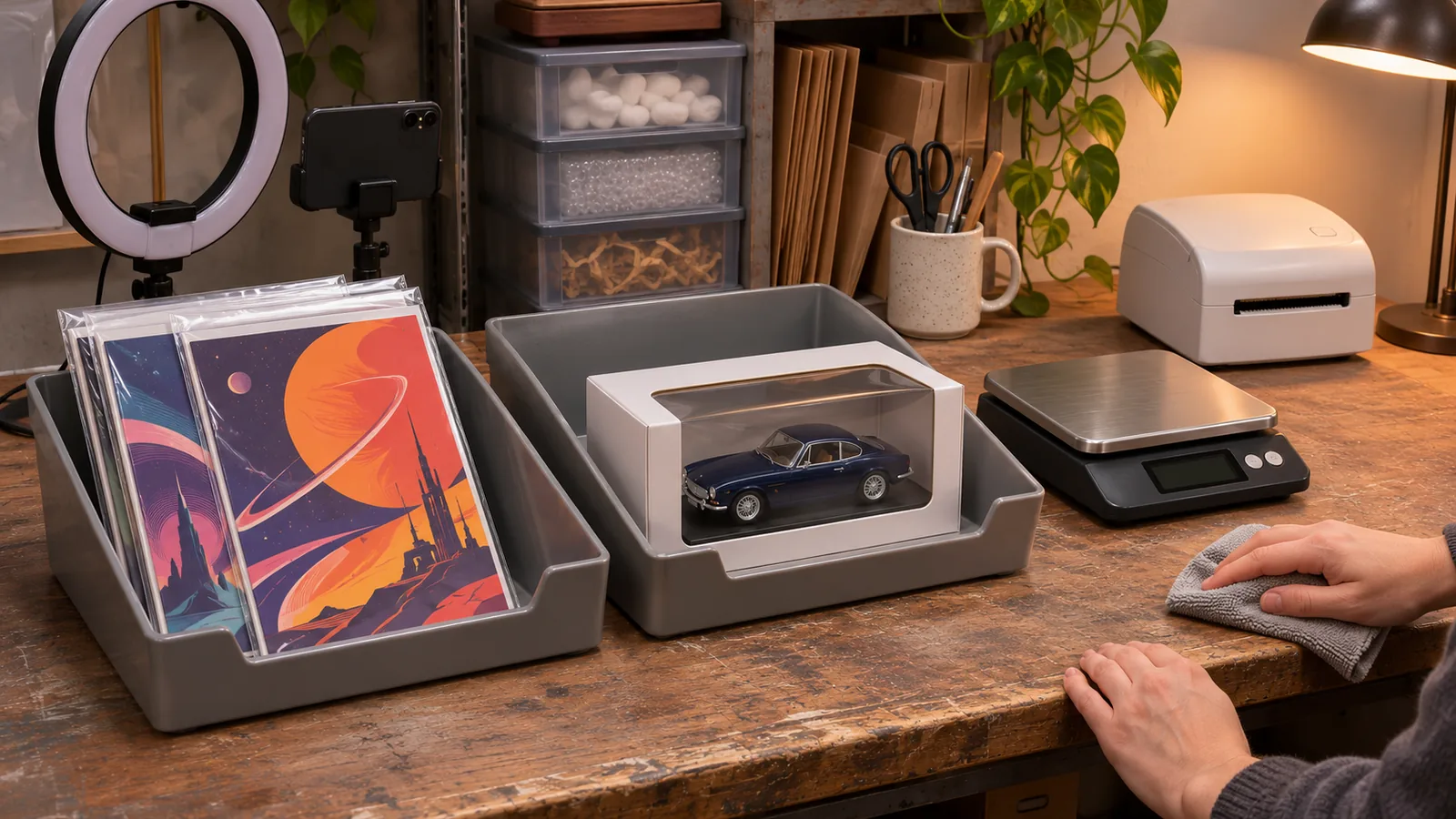
Stage the supplies that will determine the finished footprint. For the comic, try the sleeve or bag, backing and a protective shipper with the edges clear of closing flaps. For the boxed car, leave space around the retail display box and use an outer carton with cushioning that keeps it from moving. A thick paperback-sized object can bear against a clear display window when both sit in a carton; having the right materials at hand makes that conflict easier to spot later.
Weigh a representative pack-out before choosing a shipping profile
Whatnot asks for the packed weight in a listing’s shipping profile. Assemble one sample for each distinct packing method. Put the item, inserts, outer packaging and closure on the scale together, and measure the outside dimensions where the profile calls for them. In SHOW-24 the sample B01 comic, with its protection, mailer and closure, weighs 6.6 oz. The boxed-car sample, including its retail display box, cushioning and shipping carton, weighs 18.4 oz. Record those sample weights beside the corresponding listing profiles. Check the show’s shipping settings as well as your account defaults. Selecting a profile for a bare comic from a supplier catalog can leave the parcel short of the weight of its backing, mailer and tape. Choose shipping profiles for your listings (checked Nov. 24, 2026).
A custom profile can limit the quantity that can bundle, including a limit of one for a piece that genuinely needs its own parcel. When a maximum is set, only items using that exact custom profile can bundle together and grouping stops at its limit. Whatnot also supports incremental weights for additional items when appropriate. If several comics share one outer shipper, the next copy need not add a whole second shipper. A boxed collectible may need one of its own even when its weight seems compatible with another item. Set the profile to reflect the pack you can actually build. Use the post-sale evidence to improve the next listing if your estimate turns out to be wrong. Whatnot’s custom profile and bundle guidance (checked Nov. 24, 2026).