UniUni tracking and delivery help

UniUni Tracking Status: Sorting Hub & Delivery Facility

Received at UniUni Sorting Hub means the parcel reached a sorting center. In transit to UniUni delivery facility means it is on the way to a delivery station. Both come before Out for delivery. Source

This guide focuses on tracking US parcels. You do not need to memorize technical terms: start with your situation, then use the complete reference when you need an exact match. Facility pickup, service-point collection and partner delivery depend on the specific shipment notice, rather than on a service being available everywhere. Source

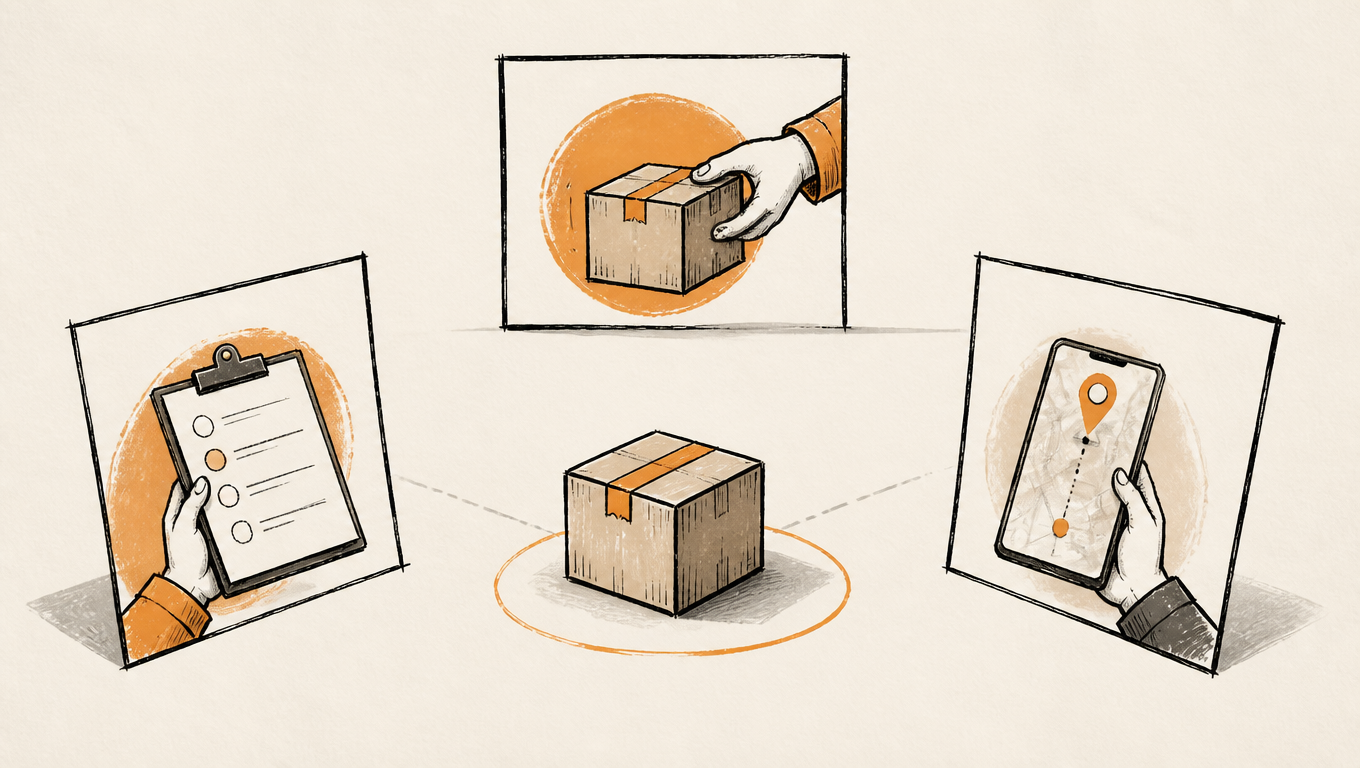
A parcel, handoff records and a phone tracking screen represent different parts of the delivery journey.
Read the stage before choosing the next action and the person to contact.

Start here: what should I do now?

Open the latest history on the official tracking page and check the message, event time and location. The action cards below are EasyShippingX recommendations for reading and handling an update. UniUni, its delivery partner and your seller confirm the actual arrangements within their respective roles.

Monitor the next update and the estimated delivery date

If the parcel has processing, transit or delivery-route updates, asks for no correction and is still within the current estimate, monitor the next event. A gap between scans alone does not establish loss. If the displayed estimate or the seller’s promised date has passed, or the same issue keeps recurring, contact the relevant party with the latest event and date.

Provide missing information: address, unit, access or phone

For address problems, failed contact or a missing unit number, check the full order address and submit a correction request through the official UniUni support chatbot. Do not rely on another attempt to fix missing information. Updates may not reach a driver whose parcel is already out for delivery; submitting a request is not confirmation that a change took effect. Source

Ask UniUni or its partner about redelivery, misdelivery or an exception

After a failed attempt, a warehouse return, an unfamiliar delivery photo, a pickup status without instructions or an unexplained exception, ask for the parcel’s location and next arrangement. If a partner has taken over, also confirm who handles final delivery and where to track it. Source

Ask the seller about handoff, refunds, replacements or item problems

For a prolonged label-created or awaiting-item status, ask the seller to check its handoff records. Refunds, replacements, returns, wrong items and missing contents require order support; a tracking word does not complete those processes. UniUni also directs item-content and merchandise-return questions to the seller. Source

Label creation, handoff and pickup: who has the parcel?

Label Created: a label exists, but carrier receipt is not established

Label Created identifies label creation and does not, by itself, prove physical handoff to UniUni. A seller’s shipping email may already have arrived, because its notification trigger and carrier receipt are different events. Our order, shipment and tracking status guide explains those layers. Support FAQ

Recommended action: if the notice has just arrived, keep the order estimate and watch for a receiving scan. If the seller says it handed over the parcel but tracking stays unchanged, ask for the handoff time, carrier and handoff evidence. UniUni explains that an order without updates may still be with the seller and that an estimated delivery date appears after physical receipt. Source

UniUni awaiting item: the shipping partner is handling the parcel

Picked up by shipping partner, Arrived shipping partner facility and Departed shipping partner facility describe partner pickup, arrival and departure while still saying UniUni awaiting item. The partner having the parcel and UniUni having it are separate facts; this is not local delivery.

Pickup request versus Driver scanned: request, start and scan differ

Pickup request placed records a request, Driver has started pickup starts collection, and Driver scanned the parcel during pickup records the pickup scan. These do not mean customer collection or arrival at the destination depot. Parcel pickup failed at the merchant’s location concerns shipper pickup; the seller or warehouse should coordinate it, and buyers can ask the seller about rearrangement.

Processing, transit and out for delivery: reading normal progress

Processing and transit: read the message rather than translating the code

Parcel Processed records handling at a facility. Checkpoint and scanned messages record scans along the way. Compare the time, location and full wording to see what changed.

What to check after a sorting-hub scan

Parcel received at UniUni Sorting Hub. The parcel has reached a sorting hub. In official tracking, note the scan time, location and delivery estimate if shown. While the estimate is still open and there’s no exception, watch for a processing, transit or delivery update. If the estimate passes without progress, give UniUni support the latest full event. When tracking has no estimate, use the seller’s delivery window to decide when to follow up.

What to do while a parcel is in transit to a delivery facility

Parcel in transit to UniUni delivery facility. The parcel is moving toward a delivery facility. Watch for a facility scan or Out for delivery. Use this time to check the unit, buzzer and contact details. Submit missing details through the UniUni support chatbot. UniUni advises that updates made after dispatch may not reach the driver in time.

Example. A Monday scan shows the parcel at a sorting hub. On Tuesday the parcel is in transit to a delivery facility, with Thursday still shown as the estimate. The events show progress, so watch for another scan. If Tuesday is still the latest event on Friday, contact UniUni with the tracking number, Tuesday’s event time and the Thursday estimate. The dates are illustrative.

Out for delivery: on the delivery route, awaiting the outcome

Out for delivery identifies the delivery stage, distinct from ordinary Parcel in transit and completed Parcel delivered records. Watch for the outcome and keep access and contact details usable. It does not confirm receipt by the customer.

Recommended action: submit missing unit details, buzzer instructions, business hours or contact information through official support. If the estimate has passed or a later event reschedules delivery, act on that update. Out for delivery alone is not a guaranteed arrival date. Source

Delays, failed attempts and rescheduling: when to act

Running behind schedule: a delay does not establish its cause

Checkpoint complete. Your parcel is running behind schedule. records a checkpoint and delayed progress. The message does not establish a cause, a wrong depot or parcel damage.

Your package is still being processed. An update is expected soon. says processing continues and an update is expected, rather than declaring loss. Consider the last concrete event, the estimate and support’s response instead of equating a pending update with a lost parcel.

Rescheduled: another window is being arranged, without a fixed date in this message

Your delivery has been rescheduled to the next available window announces a changed arrangement without naming a date. Delivery attempt delayed, timed out or failed. is broader and may describe delay, timeout or failure. Without a reason, do not automatically blame the recipient’s absence.

UniUni’s public FAQ says a first failed attempt is usually followed by a retry within 48 hours. After a second failure the parcel returns to its warehouse; once storage is shown, support can arrange redelivery, with a 30-day storage period described for that situation. This is conditional general guidance. Confirm the arrangement and deadline for your parcel promptly rather than treating it as permission to keep waiting. Support FAQ

Address or contact problems: give the next attempt a chance to succeed

Delivery attempt failed. This may be due to incorrect address details. identifies a possible address issue, not a proven mistake. Check the street, number, city, state, ZIP, unit, access, phone and receiving location, then ask official support which detail is needed.

If the stated reason is PO Box, provide a physical delivery address and ask whether a change is possible. Another attempt at the same PO Box does not fix that mismatch. UniUni says it does not deliver to post offices or PO Boxes. An address request also does not automatically reverse a return already in progress. Source

Recommended action: submit known missing information promptly. If the message only reschedules delivery and the details are correct, check for the new estimate. If no usable arrangement appears, the window passes or delivery fails again after correction, ask support for the current location, reason and whether you need to request redelivery.

Delivered, but missing: start with delivery evidence

Parcel delivered and Redelivered record completed delivery without identifying a signer or establishing a handwritten signature. If the parcel is missing, start with the location and evidence rather than guessing whether it was lost or stolen.

  • Open official tracking and enter the number. If View Delivery Confirmation is available, enter the parcel’s associated ZIP or postal code as prompted to view delivery photos.
  • Compare the background with your entrance, building lobby, reception area, mailroom or parcel locker. Ask household members, building staff and neighbors whether they received or moved it.
  • If the photo shows a different address, no usable photo is available or the parcel remains missing after checking, save the history and relevant details, request a UniUni investigation and notify the seller.
  • For damage, document the outer packaging, label and contents and send the evidence to support. Ask the seller to handle wrong items, missing contents, refunds or replacements.

Photo access and search steps are described in UniUni’s delivery help. Keep full addresses, phone numbers and identifiable label photos out of public comments. Our US proof-of-delivery guide explains the differences between evidence types.

Example. The photo shows a row of parcel lockers and you never got a collection notice. Ask building management to check the locker or parcel log for the delivery time. If it is still missing, describe the location in the photo and what you checked in the UniUni support chat. Ask support to verify the drop-off and let the seller know you’re investigating.

Partners, collection, returns and loss: distinguish the outcomes

Transferred to a partner: handoff is not customer delivery

Parcel is being transferred to a third-party carrier describes a handoff in progress. Package transferred to final mile delivery partner and Parcel forwarded to third party carrier for delivery identify partner delivery, not buyer receipt. Confirm the receiving carrier, associated number and official tracking page rather than assuming USPS took over. API reference

Collection: Ready for pickup and Picked up require different responses

Parcel is ready for pickup at service point awaits collection. Dropped off at service point, available for pickup next day states next-day availability, not completed pickup. Parcel picked up by customer or collection at a local facility records completed collection. Request a review if you did not collect it.

UniUni publicly limits its facility-pickup service to selected Canadian cities; redelivery may be required elsewhere, including the US. If a service-point event appears, ask support to confirm the actual collection arrangement, location, availability and required identification for that parcel. The existence of a service-point event does not make every US UniUni warehouse open for public collection. Source

Returns and loss: separate the parcel from the order outcome

Package return process started begins the return rather than confirming seller receipt. Return transit still requires a receiving outcome. Parcel returned to sender or The parcel is returned to sender records return to the sender. Failed to return package requires clarification of what prevented the return.

Delivery refused by customer records refusal; dispute it promptly if incorrect and ask for the reason. Parcel lost explicitly records loss: request case information and have the seller handle the order. Neither return nor loss confirms a refund; resolve refund, replacement and timing with the seller.

New order created for redelivery creates a redelivery arrangement. Redelivery order voided due to customer pickup or other reason voids that arrangement. Neither alone proves the purchase was canceled. Ask which delivery arrangement is active and which number to follow.

UniUni status reference: wording, meaning and action

Match the core English message to its meaning and action. The same wording can recur at different times or locations; read it with adjacent events and the shipment notice. These explanations and recommendations help identify the next step rather than replace the carrier’s arrangement.

Handoff and shipper pickup

Handoff and shipper pickup: status and next action Source
Core English descriptionPlain-language meaningRecommended action
Label CreatedLabel creation alone does not establish physical handoff.Ask the seller for handoff evidence if no receiving event follows and the order promise is at risk.
Picked up by shipping partner, UniUni awaiting itemThe shipping partner collected it; UniUni is still awaiting it.Ask the seller about the partner handoff and watch for UniUni receipt.
Arrived shipping partner facility, UniUni awaiting itemAt the shipping partner’s facility; not a UniUni receipt confirmation.Monitor against the order estimate; ask the seller about upstream delays.
Departed shipping partner facility, UniUni awaiting itemDeparted the partner facility; UniUni is still awaiting it.Look for the next handoff event; this is not local delivery.
Pickup request placedThe shipper requested pickup.Buyers: ask the seller. Shippers: confirm the pickup arrangement.
Driver has started pickupThe driver started pickup; this does not record a scan of every parcel.Watch for pickup records; the shipper should coordinate any handoff issue.
Driver scanned the parcel during pickupThe driver scanned the parcel during pickup.Keep the handoff record and follow subsequent network events.
Parcel pickup failed at the merchant's locationPickup failed at the merchant, rather than delivery to the buyer.The seller or warehouse should contact pickup support; buyers should ask the seller about rearrangement.

Processing and transit

Processing and transit: status and next action Source
Core English descriptionPlain-language meaningRecommended action
Parcel recieved at UniUni Sorting HubReceived at a UniUni sorting hub.Follow transit and the estimate; a sorting hub is not necessarily near your home.
Parcel Processed.A processing event occurred; this is not completed delivery.Watch for transit or delivery updates without promising an arrival date from this scan.
Parcel in transit to UniUni delivery facilityMoving toward a UniUni delivery facility.Monitor the estimate and ask for an update if it passes.
Parcel in transitIn transit, without a next stop identified in the message.Read it with the time and place, rather than calculating distance from this message.
Parcel scanned at checkpointA checkpoint scan was recorded.Watch subsequent events; a checkpoint scan alone does not mean imminent arrival.
Parcel scanned and In TransitA scan and transit were recorded.Follow the next handoff and estimate; this is not customer receipt.

Delivery, delays and rescheduling

Delivery, delays and rescheduling: status and next action Source
Core English descriptionPlain-language meaningRecommended action
Out for deliveryOut for delivery, without delivery confirmation yet.Watch for the outcome and submit any needed information to support promptly.
Delivery attempt delayed, timed out or failed.Delivery was delayed, timed out or failed; review any stated reason.Check details and the next arrangement; ask UniUni if no usable plan appears.
Checkpoint complete. Your parcel is running behind schedule.A checkpoint is complete, but the parcel is behind schedule.Check the new estimate; ask for a review if the promise is missed or delays recur.
Your delivery has been rescheduled to the next available windowRescheduled to the next available window, without a fixed date in the message.Check the new window and contact/access details; ask about redelivery if needed.
Your package is still being processed. An update is expected soon. Thanks for your patience.Processing continues and an update is expected; loss is not declared.Use the last concrete event and estimate; ask for help if progress remains unclear.

Address issues and redelivery orders

Address issues and redelivery orders: status and next action Source
Core English descriptionPlain-language meaningRecommended action
Delivery attempt failed. This may be due to incorrect address details.Delivery failed and address details may be involved.Use the official support bot to provide complete details and confirm what is missing.
New order created for redeliveryA new order was created for redelivery.Confirm the active delivery arrangement and the number to follow.
Redelivery order voided due to customer pickup or other reasonThe redelivery order was voided because of pickup or another reason.If you have not received it, clarify the reason; this does not establish purchase cancellation.

Third-party carrier handoff

Third-party carrier handoff: status and next action Source
Core English descriptionPlain-language meaningRecommended action
Parcel is being transferred to a third-party carrierTransfer to a third-party carrier is in progress.Ask for the receiving carrier and tracking page and follow the handoff outcome.
Package transferred to final mile delivery partnerHanded to the final-mile delivery partner.Follow final delivery; this is not confirmation that the buyer received it.
Parcel forwarded to third party carrier for deliveryForwarded to a third-party carrier for delivery.Confirm who took over, any associated number and the next estimate.

Ready for collection and collected

Ready for collection and collected: status and next action Source
Core English descriptionPlain-language meaningRecommended action
Parcel is ready for pickup at service pointReady for service-point pickup; not collected yet.Confirm the actual collection arrangement, location, time and identification.
Dropped off at service point, available for pickup next dayDropped at the service point, with next-day availability stated.Follow the specific collection notice and opening hours; do not visit an arbitrary depot.
Parcel has been picked up by customer at local UniUni facilityRecords customer collection at a local UniUni facility.Dispute the collection record with support if you did not collect it.
Parcel picked up by customerRecords the parcel as collected by the customer.Request a review if you have not received it; this is not a ready-for-pickup notice.

Delivery completion, refusal, returns and loss

Delivery completion, refusal, returns and loss: status and next action Source
Core English descriptionPlain-language meaningRecommended action
Parcel deliveredDelivery is recorded; a signature is not established by this wording.Review photos and check household members, neighbors and building staff, then report it if missing.
RedeliveredRedelivery is recorded as complete.If missing, handle as a delivery dispute and check photos or the recorded location.
Delivery refused by customerRecords refusal by the customer.Dispute it promptly if incorrect and inform the seller.
Package return process startedThe return process started; sender receipt is not confirmed.Ask the seller about the order and whether any intervention remains possible.
Parcel returned to senderReturn to the sender is recorded.Ask the seller to confirm return receipt and refund or replacement arrangements.
The parcel is returned to senderRecords return to the sender.Confirm receipt and order handling with the seller; tracking does not confirm a refund.
Failed to return packageReturn failed; this is not successful redelivery.Ask UniUni and the seller about location, the return failure and the next destination.
Parcel lostExplicitly records the parcel as lost.Request case information from UniUni and contact the seller about the order.

Who to contact and what to send

For delivery location, photos, address details, exception reasons and redelivery, use UniUni’s official support and ask it to clarify a partner handoff where relevant. For a seller’s handoff, item contents, refunds, replacements or merchandise returns, contact the store. EasyShippingX provides this guide; tracking and after-sales support for purchases placed elsewhere remain with the relevant service providers.

Prepare these details

  • The UniUni tracking number and seller order number, clearly distinguished.
  • The complete last message, event date, time and time zone, plus the state code if visible.
  • The actual issue: no update, missing unit, redelivery request, unfamiliar photo or a collection you did not make.
  • The order’s full address, contact and necessary access details, shared through the official private channel.
  • Relevant tracking screenshots, delivery or damage photos, and what you have already checked.

An editable support message

My UniUni tracking number is [tracking number]. The last event is [full message], at [date, time and time zone]. The issue is [specific problem], and I have checked [checks completed]. Please confirm who currently holds the parcel, the reason for this event and whether I need to provide details or request redelivery. If a partner has taken over, please provide the carrier and available tracking information.

Recommended action: ask for the next step, rather than only asking why the parcel has not arrived. Specify whether you need an information correction, redelivery or a delivery investigation. Keep your request and reply; submitting a request does not by itself confirm a correction, approved refund or successful arrangement.

Short appendix: read messages, reasons and timestamps together

This section helps readers and support teams interpret a response without programming. Fields such as description_en and pathInfo carry event messages. SUCCESS at query level means retrieval succeeded, not that delivery occurred. API reference

Read the event and supplemental reason together

For example, a rescheduling message with Contact Attempt Failed calls for checking contact details. It does not by itself prove an incorrect phone number or a refusal. If no failure reason is supplied, do not invent one.

Compare offsets rather than local clock values alone

Illustrative example: 19:00 at UTC-04:00 equals 23:00 UTC, while 16:05 at UTC-07:00 on the same date equals 23:05 UTC. The latter local clock value is earlier but the event is five minutes later. This illustrates conversion, not a real shipment’s timestamps.

The public API includes time information such as pathTime, pathTimeLocalized, pathTimeGMT and pathTimeZone. Compare a common time basis while retaining the original offset. Location and time records alone do not establish actual transit speeds. API reference

Turn the failure reason into an action

  • Failed contact or incorrect contact details: check the recipient and a reachable phone.
  • PO Box or address issue: verify an eligible physical address, city, state and ZIP and ask whether a correction is possible.
  • Missing unit: supply the unit or suite and necessary access details.
  • Business closed: provide receiving hours and confirm what follows.
  • Refusal: establish whether the record is accurate, then discuss the order with the seller.

An absent or null failed_reason_type does not establish that no exception occurred. delivery_estimate can also be conditional on shipment state; a missing estimate does not establish loss. API reference

If you manage shipments for a seller or 3PL, see how the Tracking API can bring carrier events into your order or warehouse system.

FAQ: waiting, redelivery, collection and order outcomes

Who should I contact if Label Created does not change?

Ask the seller whether physical handoff occurred and request the handoff time and carrier. Label creation alone does not establish UniUni possession. If subsequent receiving events exist, use the latest event and estimate when asking UniUni for help. Support FAQ

Does UniUni awaiting item mean the parcel is lost?

It is not a loss declaration. A shipping partner may have collected, processed or dispatched the parcel while UniUni still awaits handoff. Ask the seller about the handoff rather than reading awaiting-item wording as a local delivery route.

Does Out for delivery guarantee arrival that day?

It identifies the delivery stage rather than a delivery guarantee. Follow the estimate and outcome. Submit corrections through official support; they may not reach a driver already out for delivery. Support FAQ

Do I need to request redelivery after a rescheduling update?

Check for a new arrangement, failure reason or storage status. Provide missing address or contact details. If the parcel is back at the warehouse, has no usable plan or fails again, ask whether redelivery must be requested. Support FAQ

Can I go directly to a US UniUni warehouse for pickup?

Do not go without confirmation. UniUni limits facility pickup to selected Canadian cities. Confirm the location, availability and identification for a service-point event; it does not open every US warehouse. Support FAQ

What if Delivered shows a photo that is not my home?

Save the record and check household members, neighbors, building staff and the mailroom. Report an unresolved missing parcel or unfamiliar photo to UniUni and inform the seller. View available photos through View Delivery Confirmation with the associated ZIP or postal code. Support FAQ

Does Parcel returned to sender mean a refund is complete?

It is a return record rather than proof of a completed refund. Have the seller verify return receipt and separately confirm a refund, replacement or reshipment.

Does an earlier local clock value on a later event mean a status reversal?

Check the offsets and compare on a common time basis. A smaller local clock value can still represent a later event; do not sort by local hours alone.

When should I contact UniUni about a parcel stuck at a sorting hub?

Check the latest scan location, time and delivery estimate. If the estimate passes without an update, or a later message requests information, send the full event and tracking number to UniUni support.

Will UniUni deliver today if the parcel is in transit to a delivery facility?

The event records movement toward a delivery facility. Check the estimate in official tracking and look for Out for delivery and the final outcome. If the order lacks a unit or buzzer detail, send it to official support now.

Official resources and support links

EasyShippingX wrote the explanations, action checklists and support template to help readers establish the next step. They are not delivery, redelivery or refund guarantees. Read our UniUni service guide for service background and confirm parcel-specific arrangements with the responsible carrier or seller.