Shipping Playbook

How to Schedule a USPS Pickup: The Complete Guide for Ecommerce Sellers

Every trip to the post office costs more than gas. USPS Package Pickup can collect eligible prepaid parcels for free during the regular delivery route. This guide covers scheduling, the free and paid options, the 2 a.m. cutoff, stamp restrictions, size and weight rules, and missed-pickup handling.

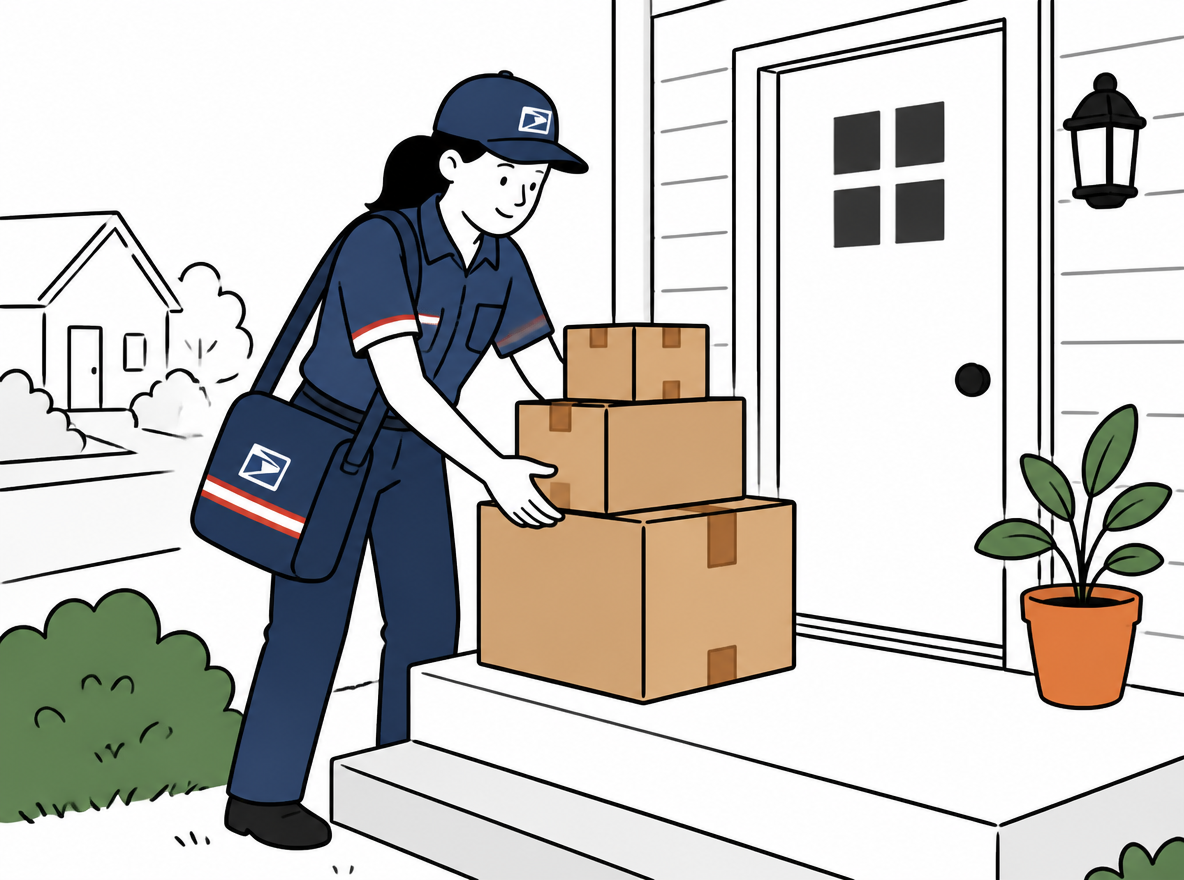
A USPS mail carrier in uniform collecting a stack of cardboard parcels from the front porch of a small ecommerce seller's home

Why a USPS Pickup Beats the Post Office Run

A trip to the post office is not just a trip. It is a queue, a counter, a scan, and a drive home, and it usually lands in the middle of your most productive stretch of the day. A scheduled pickup removes all of it: your carrier collects your packages during the regular delivery run, right from your door, and you keep packing.

The service is free. USPS does not charge for Package Pickup as long as your packages have postage already affixed.[^1] There is no per-package fee and no minimum volume; the carrier will take any number of ready-to-ship parcels in a single visit. For sellers, the win is not just convenience, it is consistency. When pickup happens on a fixed schedule, your orders clear your door the same day instead of sitting until you find time for a run.

There is one caveat that surprises people: the free pickup is free, but it happens on the carrier's schedule, meaning during regular mail delivery. If you need a guaranteed two-hour window, that is the paid Pickup on Demand service, covered in the next section.

Package Pickup vs Pickup on Demand

USPS offers two pickup services, and sellers mix them up all the time. Package Pickup is the free, everyday option. Pickup on Demand is a paid premium option that buys you a specific time window.

Feature Package Pickup (free) Pickup on Demand (paid)
Cost Free Current fee shown during scheduling
When it happens During the regular mail delivery run A two-hour window you choose
Scheduling By 2 a.m. CT on pickup day Same-day or next-day, window-based
Best for Daily batches, recurring sellers Deadline-critical or irregular shipments

Package Pickup works on the delivery schedule: you request it, and your carrier collects the parcels while delivering your mail. You do not know the exact minute, which is fine for most sellers because the packages are waiting at the door anyway.

Pickup on Demand is for shipments that need a selected time window. USPS typically schedules collection within two hours of that window and charges per trip; confirm the current fee and address availability in the official scheduling flow. For routine shipping, evaluate the free regular-route option first.

How to Schedule a USPS Pickup in 4 Steps

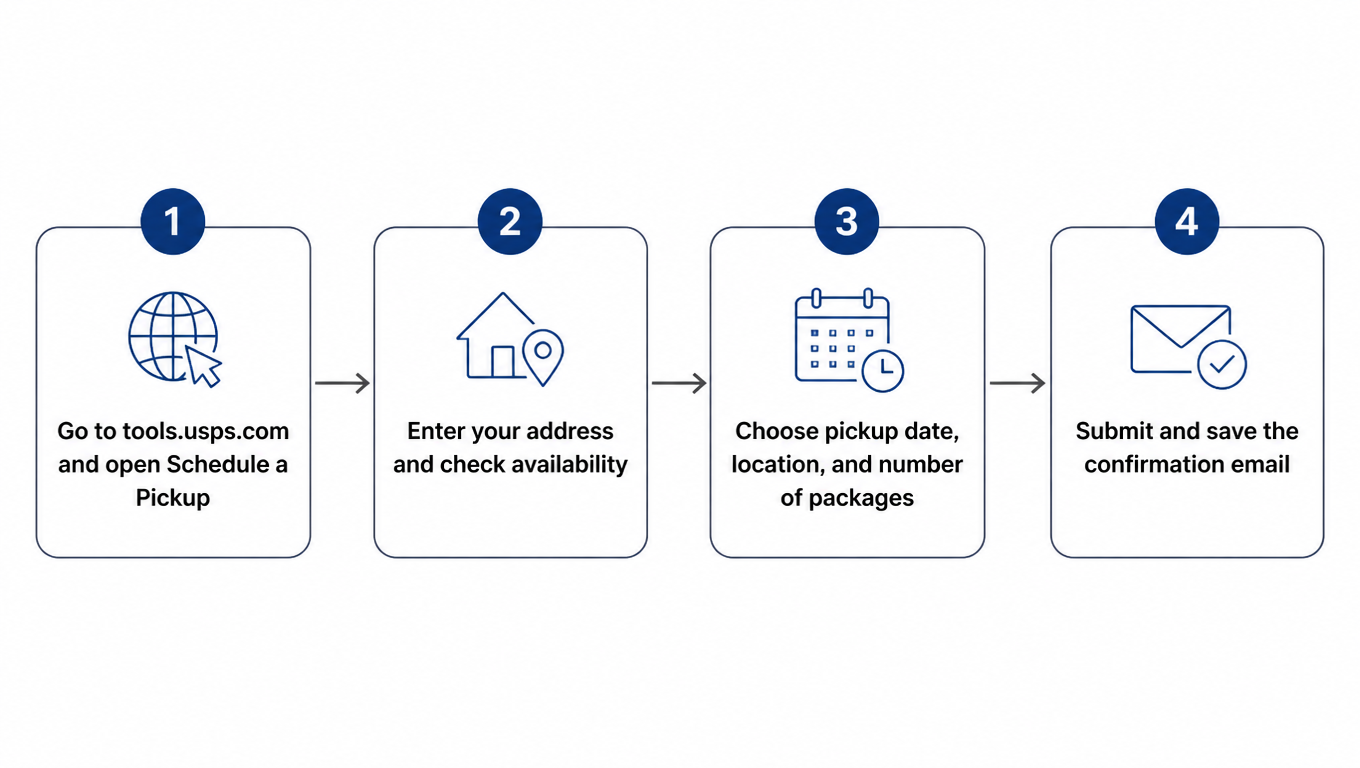
Scheduling takes about two minutes and does not even require a USPS.com account. You fill in an address, pick a date, and confirm. Here is the whole flow:

USPS pickup scheduling flowchart in four steps

Step one: open the Schedule a Pickup page on tools.usps.com. Step two: enter your address and let the tool confirm that your delivery point is eligible, which it is for virtually all residential and business addresses. Step three: choose the pickup date, the location where the packages will be waiting (front door, back door, garage, mailroom), and the number of packages. Step four: submit, and keep the confirmation email as your record.

You can also request a pickup from the USPS mobile app, which is handy when you are packing at night and want the pickup scheduled for the next morning. Either way, the confirmation email lists the date and location, and that is the paper trail you want if the carrier ever misses you.

Eligibility and Requirements

Free pickup accepts eligible prepaid parcels. The current official scheduling page lists Priority Mail Express, Priority Mail, USPS Ground Advantage, eligible returns, and international parcels for free pickup; an “Other” parcel must accompany at least one package marked eligible in the flow. Confirm the live eligibility result before submitting.

Every package needs paid postage and an attached label, with a return address matching the pickup location. Each parcel must weigh 70 pounds or less and stay within 130 inches in combined length and girth. Parcels outside Package Pickup limits require another compliant tender method.

The rule that trips up casual shippers involves stamps. If a package weighs more than 10 ounces or is more than half an inch thick, and its only postage is stamps, it cannot be left for pickup or dropped in a collection box. It must be handed to a postal employee.[^5] Packages with printed labels or metered postage are fine. If you ship with labels from a platform, which most sellers do, this rule rarely touches you.

What to Prepare Before Pickup Day

A pickup request is only as good as the packages behind it. Seal everything before the carrier arrives, because the carrier will not wait while you tape a box. Attach labels firmly, flat on the largest face, and make sure the barcode is not creased or covered by tape over the scan area.

Choose one visible spot and put every parcel there. A front porch works, but a covered spot away from the street is better in bad weather. If you use a side gate or a garage, say so in the request, and consider leaving a short note with the package count so the carrier knows nothing is missing from a multi-box stack.

If anything in the batch is fragile or contains restricted goods, package it to USPS mailability standards. Batteries, aerosols, and other regulated items have their own rules, and a carrier can refuse a package that looks unsafe. When in doubt, check the item against USPS's mailability guidelines before pickup day, not after the carrier has driven off.

Pickup Cutoff Times: When Is It Too Late?

To receive free pickup on the selected delivery day, schedule, edit, or cancel by 2 a.m. Central Time that day, the cutoff stated in the official USPS Package Pickup guidance. After the cutoff, choose the next available delivery day in the scheduling flow.

Missed the 2 a.m. cutoff? Your pickup simply moves to the next delivery day. Choose tomorrow's date in the form and the packages go out then. There is no penalty and no fee for scheduling next-day instead of same-day.

The scheduling tool generally offers Monday-through-Saturday dates, subject to address eligibility and local delivery operations; recurring pickup is unavailable on Sundays and USPS holidays. Do not assume paid Pickup on Demand can override a date shown as unavailable in the official flow.

Holiday Changes: What Happens Around USPS Holidays

USPS observes the standard federal holidays, and on those days there is no delivery and no pickup: New Year's Day, Martin Luther King Jr. Day, Presidents Day, Memorial Day, Juneteenth, Independence Day, Labor Day, Columbus Day, Veterans Day, Thanksgiving, and Christmas.[^6] A pickup requested for a holiday will not happen; schedule for the next business day instead.

The holiday schedule matters twice a year for sellers. Around Thanksgiving and Christmas, delivery volumes spike, routes run longer, and pickup windows can drift later than usual. Carriers still collect packages, but the 2 a.m. cutoff and the "by end of delivery" timing become less predictable. Plan a buffer day during peak season, and do not assume a Friday pickup means a Friday scan.

For the latest disruptions, check the USPS service alerts page before scheduling. Severe weather and regional events can suspend pickup in specific ZIP codes, and the alerts page is the authoritative place to see it.

Missed a Pickup? Here's What to Do

Two very different failures get lumped together as "missed pickup," and they need different fixes.

First, you missed the cutoff. It is after 2 a.m., or you forgot to request at all. Fix: request pickup for the next delivery day right away. Packages sit one extra day, no harm done.

Second, the carrier was supposed to come and did not collect the packages. This is rarer but happens: a stack hidden behind a pillar, a wrong location on the request, a label the carrier could not scan. Fix: verify the packages are visible at the location you specified, then reschedule for the next day, or call your local post office directly and ask for the carrier's supervisor. If the package is time-critical, drop it off in person instead of waiting another cycle.

One habit to avoid: leaving packages out overnight repeatedly on the off chance a carrier takes them. Parcels left unattended attract theft, and packages that sit for days confuse carriers and customers alike. Keep the rhythm clean, either scheduled pickup or a drop-off, and your packages will move on schedule.

Recurring Pickups for High-Volume Sellers

If you ship every business day, stop scheduling one pickup at a time. USPS lets you set up a recurring pickup, where the carrier collects your packages on a set schedule (typically every delivery day) without you requesting each one. Set it once with the Recurring Pickup Tool in your USPS.com account, and the daily request disappears from your routine.[^1]

Recurring pickup still follows the service eligibility, prepaid-postage, label, weight, and size rules shown at the time of scheduling. It changes appointment administration, not mailability requirements.

The recurring model pairs naturally with shipping software. Print your day's labels in one batch, drop the stack at the door, and the carrier takes them during the route. When your volume outgrows what you can carry to the door, that is the moment to look at how your labels are priced and printed, because the pickup itself is already solved.

Tips to Make Pickup Reliable

A few habits turn pickup from a sometimes feature into a dependable part of your operation.

Keep the drop spot fixed and the package count honest. Carriers learn routes, and a carrier who finds packages in the same spot every day will look for them. A wrong count in the request leads to a confused carrier and a phone call.

Batch orders into fewer, fatter pickups. If your cutoff allows it, ship everything in one morning batch instead of dribbling packages out all day. Fewer pickups, same service, less margin for error.

Pair pickup with discounted labels. The pickup is free, but the postage is not, and label pricing is where sellers actually save. Platforms like easyshippingx compare live USPS rates across carriers and print labels per order with no subscription and no minimum volume, which keeps per-label cost down for small sellers who do not have a carrier contract. Print the batch, schedule the pickup, done.

Check the confirmation email once. It takes ten seconds and catches the classic mistake of requesting the wrong date.

Frequently Asked Questions

Is USPS Package Pickup really free?

Eligible prepaid parcels can receive free pickup. Priority Mail Express, Priority Mail, USPS Ground Advantage, eligible returns, and international parcels are currently listed as qualifying categories; “Other” parcels must accompany at least one eligible package.

What time do I need to request a pickup for same-day service?

By 2 a.m. Central Time on the day you want the packages collected. After that, the pickup moves to the next delivery day.

Can USPS pick up packages that only have stamps?

Only small ones. If a stamped package weighs more than 10 ounces or is more than half an inch thick, it cannot be left for pickup; it must be handed to a postal employee.

What if my package weighs more than 70 pounds?

It is not eligible for Package Pickup. A parcel must not exceed 70 pounds or 130 inches in combined length and girth; use another compliant tender method when it exceeds either limit.

Does USPS pick up on weekends and holidays?

The scheduling tool generally offers Monday-through-Saturday dates, subject to address and calendar availability. Recurring pickup is unavailable on Sundays and USPS holidays, and the paid option does not override dates shown as unavailable.

Can I set up a recurring pickup?

Yes. You can configure a recurring pickup schedule with the Recurring Pickup Tool in your USPS.com account, so the carrier collects packages on your chosen schedule without a fresh request.

Bottom Line

USPS Package Pickup can remove post-office trips for eligible prepaid parcels. Confirm service eligibility in the scheduling flow, submit by 2 a.m. CT on the selected delivery day, attach labels, and keep each item within 70 pounds and 130 inches in combined length and girth. Stamps-only pieces also remain subject to the 10-ounce and one-half-inch limits.

Run the checklist once, set up recurring pickup if you ship daily, and pair the free pickup with discounted labels so the whole loop is cheap. Check real-time USPS and carrier rates on easyshippingx, print your batch, and let your carrier do the trip you used to make.

Place pickup inside the daily USPS workflow

Pickup planning should align with service eligibility, order cutoff, label creation, handoff manifests, and first-scan monitoring. Before configuration, review the complete USPS domestic parcel guide to confirm service, contents, and parcel constraints.

Ready to See What Discounted Rates Could Save You?

Use the free shipping cost calculator for a quick US delivery estimate, and talk to easyshippingx for discounted multi-carrier shipping rates.