GOFO tracking and delivery help

GOFO Tracking Status: Processing & Delivery Exceptions

Processing means GOFO is handling the parcel at a facility. Departed GOFO Delivery Station means it left the station. For either status, check the next update. For Business Closed, give GOFO your receiving hours and a contact.

Keep three distinctions in mind: label creation differs from handoff, Loaded on Vehicle differs from Out for Delivery, and investigation differs from confirmed loss. For an exception, read the specific reason, such as Business Closed, No Access or Incorrect Address, rather than stopping at Delivery Exception.

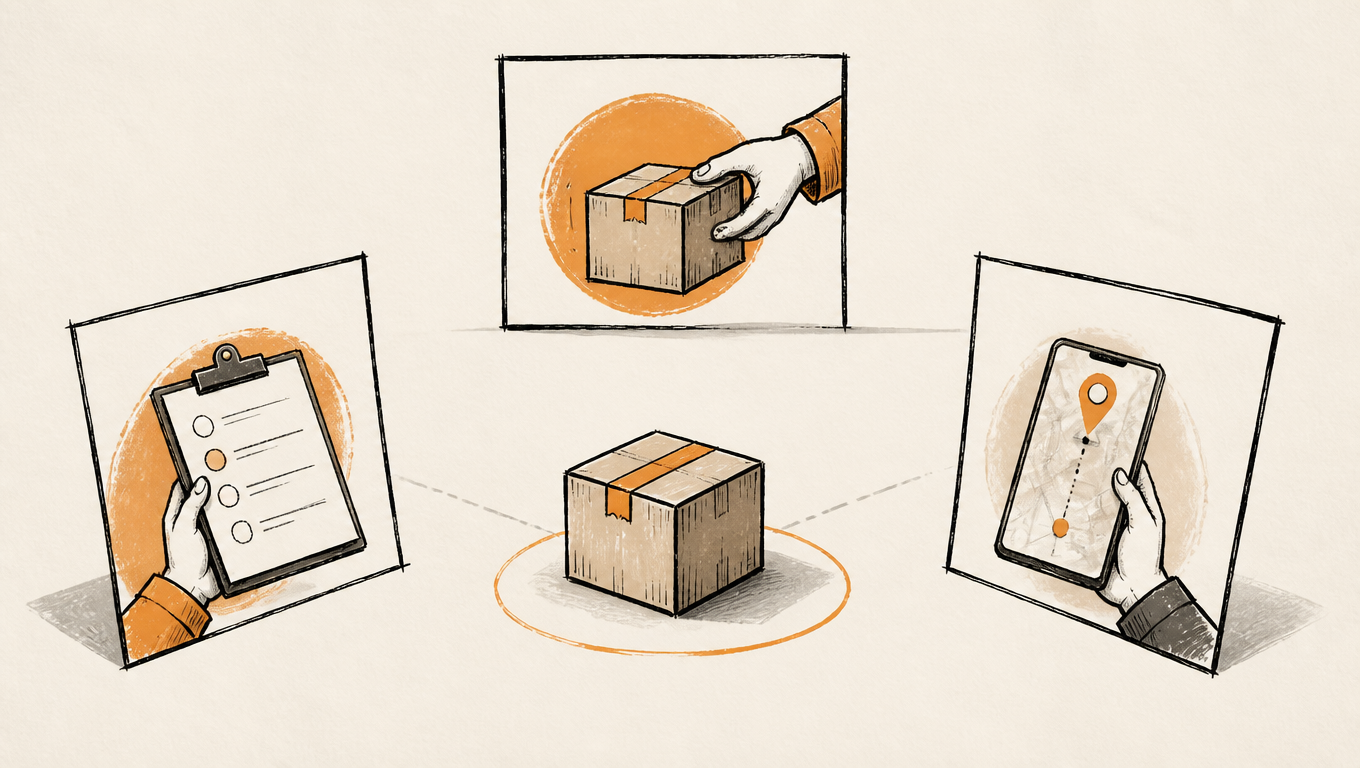
A parcel, handoff records and a phone tracking screen illustrate the information connecting shipment and delivery.
Read the history as a sequence of events, then choose the next action and its owner.

Start here: monitor, provide information or ask for help?

Open official tracking and check the number, latest event, time and location. If the seller gave you several references, confirm which is the GOFO waybill number rather than deleting characters to make one work. The following are EasyShippingX reading recommendations; the responsible party must confirm any correction, redelivery or order outcome.

Progressing without an information request: monitor

When receiving, transit or route events show progress, no correction is requested and the order is within its estimate, monitor the next update. A scan gap alone does not establish that movement stopped. If the estimate passes, an exception repeats or the seller’s promise is missed, ask for an update with the last event instead of waiting indefinitely.

Address, access or business-hours issue: provide information

Check the street number, street, city, state, ZIP, unit and contact number. For an access issue, provide a usable entrance, buzzer, reception contact or receiving hours. Submit the request to GOFO support and ask whether it was received, whether a change remains possible and what happens next. Sending information does not confirm that a change was carried out. Official help

Delivered but missing: check the location and POD

Start with the recorded delivery location and available POD, then check with household members, building staff, reception or neighbors. Report an unfamiliar photo, a collection you did not make or a parcel that remains missing after checking, and tell the seller you have not received the order. Official help

Handoff or order remedy: contact the seller

A Pickup Exception usually needs the seller or warehouse to fix a shipper-side problem. Ask the seller about a replacement label, refund or reshipment after a return, and wrong or missing contents. Use GOFO for tracking and delivery investigation and the store for purchase-order remedies.

Labels and pickup exceptions: establish the handoff

Shipping Label Created and Label Cancelled

Shipping Label Created records label creation; by itself, it does not prove that GOFO received the physical parcel. A seller’s shipping email may already have arrived while tracking remains at this stage. Ask the seller to distinguish printing from handoff; our order, shipment and tracking status guide explains why those systems can disagree.

Label Cancelled concerns the shipping label, rather than proving purchase cancellation or a completed refund. Recommended action: ask whether the seller issued a replacement number and whether handoff needs rearranging, then follow the active shipment rather than a voided label.

Pickup Exception refers to collection from the shipper

Package is Not Ready, No Access to Pickup Location, Incorrect Address, Business Closed and Pickup Rescheduled refer to parcel readiness, pickup access, a pickup-address issue, a closed business and a changed collection arrangement. Pickup here means the driver collecting from the shipper, rather than an invitation for the buyer to visit a warehouse.

GOFO has not Received the Package from the Warehouse yet explicitly identifies an outstanding warehouse handoff. Buyers should ask the seller to check it. Sellers and warehouses should review readiness, pickup contacts, access and scheduling. GOFO lists a separate seller/warehouse line for business-account pickup requests. Official help

Loading, facilities and the delivery route: read the stage correctly

Regional Hub and Delivery Station are different stages

Arrived at GOFO Regional Hub records arrival at a regional hub; Departed GOFO Regional Hub records departure. Arrived at GOFO Delivery Station identifies arrival at a delivery station, and Departed GOFO Delivery Station its departure. These are network-location events, rather than delivery completion.

In Transit to Next Facility describes movement toward another facility; Processing at GOFO Facility describes facility processing. The same message can appear at different points, so read it with the location, time and adjacent events. Repeated wording alone does not establish a loop, return or wrong-address delivery.

What should I look for after Processing or Departed GOFO Delivery Station?

  1. On GOFO’s tracking page, note the latest event’s time, location and full wording. If Processing appears twice, check whether the entries came from different facilities.
  2. After Departed GOFO Delivery Station, look for a later Out for Delivery, Delivered or delivery exception event. If the departure is still the latest event, use your order’s estimated delivery date to decide when to follow up.
  3. If the estimated date has passed and tracking shows no progress, send the tracking number and last two events to GOFO recipient support. Ask for the last confirmed location and any delivery arrangement.

Example. Tracking showed Processing at GOFO Facility last night and Departed GOFO Delivery Station this morning. The order estimate is tomorrow. Note the departure time and watch for the next update. If the estimated date passes with departure still the latest event, send both entries and ask whether the parcel has been assigned to a delivery route.

Loaded on Vehicle does not identify the final delivery route

Loading can occur during transport between facilities. Loaded on Vehicle may be followed by hub departure, transit and delivery-station arrival. Do not use the phrase alone to wait at home for a driver or promise a customer arrival that day. Treat the parcel as out for delivery when that explicit update appears.

Out for Delivery: follow the outcome

Out for Delivery identifies an active delivery stage. A later Delivered or exception event tells you the outcome of that attempt. Keep contact and access information usable; ask support promptly about any correction and whether it can take effect. The update alone does not guarantee receipt, completion that day or a phone call.

Delivery exceptions: use the reason to choose the action

Business Closed and No Access need different information

Business Closed calls for receiving hours and a contact at the premises. No Access to Delivery Location calls for an entrance, access instructions, buzzer or receiving point. Neither should automatically be reduced to a phone-number issue, and neither establishes that another attempt is already scheduled.

  1. Compare the attempted-delivery time with when someone is actually at the front desk, receiving door or loading dock. Receiving hours may end before the business closes.
  2. Give GOFO recipient support the tracking number, full exception, next available receiving window and receiving contact. If the site was open, say which entrance was staffed at the time.
  3. Ask support to confirm the instructions were recorded and whether redelivery is still available. If tracking shows a return, notify the seller so they can check the return and handle the order.

Example. Business Closed appears at 5:40 p.m. Friday. The office closes at 6 p.m., but reception stops accepting deliveries at 4:30 p.m. Tell support “Weekdays, 9 a.m. to 4:30 p.m. Use the main entrance and hand the parcel to reception.” Ask whether GOFO can use those instructions for another attempt.

Incorrect/Insufficient Address and Restricted Address

For an incorrect or insufficient address, verify the number, street, city, state, ZIP and unit in the order before requesting a correction. Restricted Address identifies a restriction without telling you which one or guaranteeing that any alternate address will work. Ask support about the restriction, an eligible alternative and whether return processing has begun.

Refused by the Recipient: confirm whether the record is accurate

If you refused the parcel, discuss the order outcome with the seller. If you did not, save the record, dispute it promptly and clarify whether reception, building staff or another person handled the attempt. A refusal event is not a refund receipt or proof of a completed return.

Weather and transportation delays: look for resumed progress

Local Weather Delay concerns local delivery. Regional Weather Delay and Regional Transportation Delay concern a regional processing or transport delay. None supplies a recovery date in the message. Recommended action: monitor against the current estimate and request an update if the promise passes or no usable plan follows, without importing another carrier’s retry count or waiting period.

Investigations and holds: identify the next decision and its owner

Investigation in Progress: the outcome is still open

Delivery Exception, Investigation in Progress announces an investigation without establishing loss, theft or responsibility. Recommended action: ask for a case reference, last confirmed location, any information needed from you and the next follow-up arrangement. Avoid turning an open investigation into a confirmed-loss statement to a buyer.

Visible Damage: preserve evidence and clarify handling

Visible Damage, Investigation in Progress records an investigation of visible damage. Visible Damage, Hold for Instructions Requested additionally asks for handling instructions. If the parcel arrived, retain packaging and photograph the label and contents. If it has not, ask who must authorize the next step and whether sender instructions are needed. The message does not establish total contents damage or an approved payment.

Hold for Instructions Requested: establish who needs to respond

Hold does not establish unlimited storage or permission to collect at a depot. It may accompany an address problem, damage or refusal. Ask whether support needs recipient information or a sender decision, what handling options are available and whether there is a response deadline. Do not attach an invented storage period to the wording.

Where was it delivered? Use the location, not just Delivered

The location after Delivered can be more useful than Delivered alone. Check that location, then review available POD on official tracking. POD is delivery evidence and may include a photo; no photo does not by itself establish that delivery did not occur, and one photo does not automatically resolve every dispute. Official help

  • Door/Yard: check your door, porch, yard and any agreed placement point, using the photo background.
  • Left with Individual: check household members and authorized recipients; the phrase alone does not identify a handwritten signer.
  • Mail Room: ask the building mailroom to check receiving or sorting records using the parcel number and recipient details.
  • Parcel Locker: look for a locker reference or collection notice/code; ask the locker operator or support if instructions are missing.
  • Front Desk/Reception: ask reception, security or management who received it and where it went afterward.
  • PUDO: this identifies a designated handoff-point type. Confirm the actual location and collection arrangement for this parcel rather than visiting a GOFO warehouse.

GOFO’s support FAQ directs recipients with missing delivered parcels to check POD, neighbors, co-residents and building staff, then report an unresolved issue. A building exterior photo can help its review, but a report can still be made without one. Use official GOFO support. Our US proof-of-delivery guide explains photos, signatures and other evidence.

Awaiting Pickup by Recipient: establish the collection arrangement

This update awaits collection by the recipient, distinct from shipper-side Pickup Exception and from completed Delivered records. GOFO’s US site explicitly states that recipient self-pickup is unavailable. Ask recipient support whether this parcel has a specific collection notice or needs delivery arranged instead. Pickup wording does not open arbitrary GOFO facilities to public collection. Official help

Return to sender: distinguish the parcel from the order remedy

Separate a return request, initiation, processing, transit and completed return. Return to Sender Requested by Recipient records the recipient’s request. Return Initiated starts the process. Return to Sender Processed records handling of the return arrangement, rather than confirming seller receipt. In Transit, Return in Progress is return transit. Returned to Sender records the completed return.

Recommended action: if you did not intend a return, ask support for the cause and whether any intervention remains possible, and inform the seller. For a confirmed return, have the seller check receipt and the order outcome. Correct the underlying address or restriction before reshipping, and do not treat a completed return as proof that a refund reached your account.

GOFO status reference: English wording, meaning and action

Match the core English message to its meaning and action below. Contact wording appended to a tracking message is not repeated in every row; use the official contact section later in the guide. The same phrase at another time or location does not automatically mean a different outcome. Read the history as a whole.

Labels, facilities, transit and delivery route

Labels, facilities, transit and delivery route: description and action
Core English descriptionPlain-language meaningRecommended action
Shipping Label CreatedA label exists; physical handoff is not established by this event alone.Ask the seller about handoff if no receiving event follows.
Label CancelledThe shipping label was canceled; this does not confirm a purchase refund.Ask the seller about a replacement label or active number.
Arrived at GOFO Regional HubArrived at a GOFO regional hub.Follow departure, transit or processing events.
Loaded on VehicleLoaded on a vehicle, without identifying its role in this message.Follow the next event; do not equate loading with the delivery route.
Departed GOFO Regional HubDeparted a GOFO regional hub.Monitor transit or the next facility update.
In Transit to Next FacilityIn transit toward the next facility.Read with time and place; request help if the estimate is missed.
Arrived at GOFO Delivery StationArrived at a GOFO delivery station.Watch for delivery or instructions; do not visit the station unannounced.
Departed GOFO Delivery StationDeparted a GOFO delivery station.Look for an explicit Out for Delivery event or later outcome. Steps after station departure
Out for DeliveryOut for delivery, without a completion record yet.Watch the outcome and submit missing information to support.
Processing at GOFO FacilityProcessing at a GOFO facility.Compare event times and locations against the delivery estimate. Steps while processing

Shipper pickup exceptions

Shipper pickup exceptions: description and action
Core English descriptionPlain-language meaningRecommended action
Pickup Exception, Package is Not ReadyThe parcel was not ready at the shipper.The shipper should prepare it and coordinate collection; buyers should ask the seller.
Pickup Exception, No Access to Pickup LocationThe driver could not access the pickup location.The shipper should supply access and a pickup contact.
Pickup Exception, Incorrect AddressAn address issue affects shipper pickup.Have the shipper check the pickup address rather than changing the recipient address by mistake.
Pickup Exception, Business ClosedThe business was closed at pickup.The shipper should provide hours and confirm collection arrangements.
Pickup Exception, Pickup RescheduledShipper pickup was rescheduled.The seller or warehouse should confirm collection; this is not recipient redelivery.
Pickup Exception, GOFO has not Received the Package from the Warehouse yetGOFO has not received the parcel from the warehouse.Ask the seller or warehouse to check readiness and handoff records.

Delivery exceptions and their reasons

Delivery exceptions and their reasons: description and action
Core English descriptionPlain-language meaningRecommended action
Delivery Exception, Business ClosedThe attempt was recorded as a business closure.Provide actual receiving hours, entrance and contact, then ask about redelivery. Steps to update receiving details
Delivery Exception, No Access to Delivery LocationThe delivery location could not be accessed.Check building access, entrance, buzzer and receiving point.
Delivery Exception, Incorrect/Insufficient AddressThe delivery address is incorrect or incomplete.Verify the full address and unit and request a correction through support.
Delivery Exception, Refused by the RecipientRefusal by the recipient is recorded.Dispute an incorrect record; if refusal was intended, contact the seller about the order.
Delivery Exception, Restricted AddressThe delivery address is restricted; the reason needs clarification.Ask about the restriction, an eligible alternative and the current stage.
Delivery Exception, Local Weather DelayLocal weather is affecting delivery.Look for resumed progress and the estimate rather than inventing a recovery time.

Investigations, processing delays and instructions

Investigations, processing delays and instructions: description and action
Core English descriptionPlain-language meaningRecommended action
Visible Damage, Investigation in ProgressVisible damage is under investigation.Preserve available evidence and ask about investigation and handling.
Incorrect/Insufficient AddressThe address is incorrect or incomplete.Ask support what is missing and verify order details before requesting correction.
Delivery Exception, Investigation in ProgressAn exception is under investigation, without a conclusion in the message.Ask for case progress and follow-up rather than declaring loss or theft.
Hold for Instructions RequestedHandling instructions have been requested; establish who should respond.Ask what information or decision is needed, the options and any response deadline.
Visible Damage, Hold for Instructions RequestedVisible damage with handling instructions requested.Contact GOFO and the seller about handling and retain packaging and photos.
Incorrect/Insufficient Address, Hold for Instructions RequestedAn address issue is awaiting handling instructions.Provide the full address and confirm whether the recipient or sender must respond.
Refused by the Recipient, Hold for Instructions RequestedInstructions are requested following a refusal record.Confirm whether refusal is accurate, then coordinate with support and the seller.
Processing Exception, Regional Weather DelayRegional weather is delaying processing.Follow recovery and the estimate and ask for help if progress remains unclear.
Processing Exception, Regional Transportation DelayRegional transportation is delaying processing.Watch subsequent events and ask about arrangements if the order promise is missed.

Delivery locations

Delivery locations: description and action
Core English descriptionPlain-language meaningRecommended action
Delivered, Door/YardDelivery at a door or yard is recorded.Use POD to check the door, porch, yard and agreed placement point.
Delivered, Left with IndividualHandoff to an individual is recorded.Check household members or authorized recipients; request a handoff review if missing.
Delivered, PUDODelivery to a designated handoff-point type is recorded.Confirm the parcel-specific location and collection notice; do not visit an arbitrary depot.
Delivered, Mail RoomDelivery to a mailroom is recorded.Ask the building mailroom to check receiving and distribution records.
Delivered, Parcel LockerDelivery to a parcel locker is recorded.Check the locker reference and collection notice; ask support or the locker operator if missing.
Delivered, Front Desk/ReceptionDelivery to reception or a front desk is recorded.Ask reception, management or security who received it and where it went.

Awaiting recipient collection

Awaiting recipient collection: description and action
Core English descriptionPlain-language meaningRecommended action
Awaiting Pickup by RecipientAwaiting recipient collection, rather than already collected.Ask recipient support to confirm the specific collection or delivery arrangement.

Return requests and progress

Return requests and progress: description and action
Core English descriptionPlain-language meaningRecommended action
Return to Sender Requested by RecipientA recipient request to return the parcel is recorded.Dispute it promptly if you did not request it and inform the seller.
Return to Sender ProcessedReturn handling is processed, without establishing seller receipt by itself.Follow the return outcome and discuss the order with the seller.
Returned to SenderReturn to the sender is recorded.Ask the seller to confirm receipt and refund or reshipment arrangements.
Return InitiatedThe return process has started.Confirm the cause and ask whether any intervention remains possible.
In Transit, Return in ProgressThe parcel is in transit on its return journey.Follow sender receipt rather than treating it as normal transit to the original recipient.

Reading a history: establish chronology and the latest effective event

Reading a history from oldest to newest may give: Shipping Label Created → Arrived at GOFO Regional Hub → Loaded on Vehicle → Departed GOFO Regional Hub → In Transit to Next Facility → Arrived at GOFO Delivery Station → Out for Delivery → Delivered, Door/Yard. Actual histories can repeat nodes or omit displayed steps. The sequence explains stages rather than a mandatory complete path for every parcel.

Loading is followed by hub departure and interfacility transit in that sequence, so loading cannot stand in for the delivery route. If Delivered appears above earlier transit events, that does not mean the parcel reverted to transit: the history may simply list newest first. Establish chronology before choosing the latest effective event.

Read a local time together with its offset

In a detailed event record, enContext can carry the English message, operationTime the event time and groupTimeZone the offset. Read them together. Do not establish chronology solely from list order, a city name or the hour on a local clock, and do not apply the same offset twice.

Illustrative example: 09:00 at UTC-07:00 equals 16:00 UTC, while 11:30 at UTC-05:00 on the same date equals 16:30 UTC. The latter is only half an hour later. This demonstrates conversion rather than a real parcel’s transit speed. Use the event’s effective offset for daylight saving time as well, rather than treating every US location as one time zone.

For support conversations, quote the full message, event time, offset and problem rather than a status word alone. Ask the carrier to clarify missing or conflicting records. This reading method is not a promise that every interface supplies the same fields.

If you ship as a merchant or 3PL and need carrier events in your order or warehouse system, see how to manage tracking for multiple shipments with the Tracking API.

Contacting GOFO: choose the channel and explain the issue

For recipient tracking and delivery issues, GOFO’s support page lists +1 (949) 688-6032 and cs@mail.gofo.com. Sellers and warehouses with business-account pickup requests have a separate line, +1 (626) 505-1101. Check the official page for calling hours and other channels.

EasyShippingX provides this reading guide. The store or marketplace responsible for your purchase handles order remedies, while GOFO’s official channels handle its tracking and delivery issues. Keep complete tracking numbers, access codes, addresses and personal phone numbers out of public comments.

  • Prepare the GOFO waybill number and seller order number, clearly distinguishing them.
  • Record the latest event, date, time, time zone and when the problem began.
  • Explain which places you checked, corrections submitted and replies already received.
  • Provide relevant delivery-dispute or damage photos; share full address and contact details only through official private channels.
  • State the requested outcome: location, information correction, the next delivery arrangement, collection instructions or an investigation of an incorrect delivery record.

An editable support message

My GOFO waybill number is [number]. The latest event is [full message], dated [date, local time and offset]. The issue is [specific situation], and I have checked or completed [checks/actions]. Please confirm the parcel’s location, the reason for this event and whether the next action belongs to me, the seller or GOFO. If information or handling instructions are required, please specify what is needed and how to respond.

FAQ: updates, loading, exceptions, collection and returns

What should I do if GOFO stays on Processing at GOFO Facility?

Compare the time and location of the last two events to check for a newer facility update. If the estimate has passed without progress, give GOFO recipient support the tracking number and both events and ask for the current stage.

Does Departed GOFO Delivery Station mean delivery today?

The event confirms a departure from the delivery station. Look for Out for Delivery or a later delivery outcome. Use the order’s estimated date to decide when to follow up.

What if GOFO shows Business Closed while the office was open?

Check whether the front desk or receiving entrance was open at the time shown. Give GOFO recipient support the attempt time, usable entrance, receiving hours and contact so they can check the exception and next arrangement.

Who should I contact if Shipping Label Created does not change?

Ask the seller whether physical handoff occurred, whether a new number was issued and whether handoff records exist. Label creation alone does not prove GOFO received the parcel. Once receiving or transit events exist, use the latest event when requesting help.

Does Loaded on Vehicle mean arrival that day?

That cannot be established from loading alone. It can concern transport between facilities, followed by processing and transit. Use an explicit Out for Delivery event or subsequent arrangement to identify the route stage, without making an arrival guarantee.

Does Pickup Exception mean I should collect the parcel?

No. It describes a shipper-side pickup issue, normally requiring the seller or warehouse to address readiness, location, access or hours. Awaiting Pickup by Recipient concerns recipient collection, which still needs shipment-specific instructions.

Does Investigation in Progress confirm loss?

No. It announces an investigation without confirming loss, theft or a compensation outcome. Ask for case progress, required evidence and follow-up arrangements, and keep the seller informed.

Should I just wait after Hold for Instructions Requested?

First ask who needs to provide instructions, what is missing and whether there is a response deadline. Address, damage and refusal issues require different decisions; do not invent a fixed storage period or assume automatic redelivery.

What should I do first if Delivered is shown but the parcel is missing?

Check the recorded door, mailroom, locker or reception location, review available POD and ask household members and building staff. Report an unfamiliar photo or unresolved missing parcel to GOFO and notify the seller. The status alone does not prove you personally signed.

Can I go directly to a GOFO warehouse to collect it?

GOFO’s US site states that recipient self-pickup is unavailable. Even for a collection or PUDO-related message, have recipient support confirm the parcel-specific location, notice or delivery arrangement before going anywhere.

Does Return to Sender Processed confirm seller receipt?

It records processing of the return arrangement rather than establishing seller receipt by itself. Follow return-transit or completed-return events and ask the seller to verify receipt and any refund or reshipment.

Official resources and support links

The plain-language explanations, checklists and support template are EasyShippingX recommendations. The illustrative time conversion is not a transit promise. Confirm location, available corrections and delivery or return arrangements with the responsible service provider. For service suitability, read our GOFO service guide.