SpeedX tracking and delivery help

SpeedX Tracking Status: Attempted Delivery & No Access

Attempted Delivery: No access means the driver could not reach the drop-off. Give SpeedX your tracking number and entrance, buzzer or receiving details. For Delay in transit, check for a reason and the next update.

Read three layers: the shipment stage, the latest event and any supplemental reason. Label creation is not carrier receipt, relabeling does not itself establish damage to the contents, and a successful tracking query does not mean successful delivery. Start with the situation that applies to you; the short appendix explains the data distinctions. Support FAQ API example

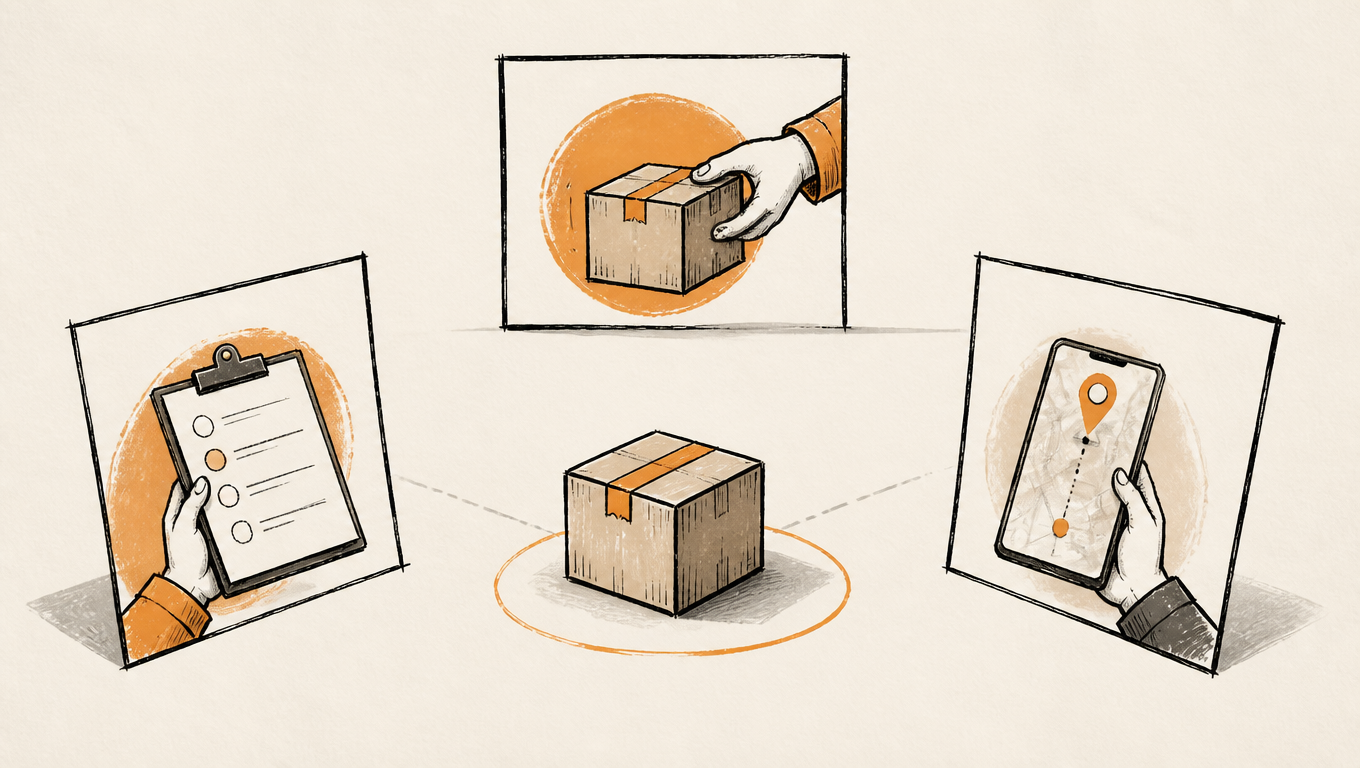
A parcel, handoff records and a phone tracking screen illustrate the connection between logistics events and delivery.
Find the latest effective event, then turn its reason into an action.

Start here: monitor, supply information or contact the seller?

Label only or prolonged silence: establish the number and handoff

SpeedX explains that Shipping Label Created alone means it has not received the parcel. Ask the seller to confirm handoff and the correct number, or to supply the number if missing. Its FAQ recommends contacting the retailer after three business days without a status change. That follow-up point does not mean you should wait before providing known missing access or address details. Support FAQ

Address, access or hours: supply what is missing

Instead of only saying the address is correct, check the street number, street, city, state, ZIP, unit, phone and usable entrance separately. Provide business receiving hours or apartment/building access details as relevant. Submit them through Miles or official support and ask what remains possible and who must provide any further instruction.

Delivery, collection, return or disposal: establish the outcome

For a missing delivered parcel, check the recorded position and photos. Dispute a collection you did not make. For loss, return or disposal, ask support to clarify the parcel outcome and the seller to handle refunds or replacements. A logistics event does not establish that a refund was issued.

The actions below are EasyShippingX recommendations for reading and handling an update. Confirm correction availability, redelivery and signing requirements for the particular parcel with the responsible party.

The normal journey: labels, transfers and the delivery route

Shipping Label Created and facility processing

After label creation, Arrived at Origin Facility, Processing at Origin Facility, Processed at Origin Facility and Departed from Origin Facility describe arrival, processing, completed processing and departure at an origin facility. A displayed history may omit steps. Our order, shipment and tracking status guide explains the difference between a seller’s shipping notice and carrier events.

Transit Hub, Transit Facility and Destination Facility

Arrival at Transit Hub, Processing at Transit Hub and Processing at Transit Facility describe transfer processing. En Route to Designated Facility, Dispatch to … and In transit to destination facility describe progress between facilities. Arrival at Destination Facility and Processing at Designated Facility identify arrival or processing at the delivery-stage facility. A location label is not necessarily a live GPS position.

Domestic Flight Departure and Domestic Flight Arrival are domestic air-transport milestones, rather than final delivery or proof of international customs clearance. Follow subsequent ground processing, the delivery route and the outcome.

Assigned Driver does not always identify the final delivery route

Assigned Driver and Leaving Transit Hub concerns driver assignment and departure from a transit hub; read it with later destination-facility events. The public API example also includes Assigned Driver and Leaving Designated Facility. In either case, follow explicit Out for Delivery and its outcome rather than using the word Driver alone to infer imminent arrival. API example

SpeedX defines Out for Delivery as the driver having the parcel for delivery. It is not Delivered or a guaranteed arrival slot. Its FAQ says a selectable delivery slot and a nearby-driver notification are not currently offered. Submit delivery instructions through official support. Support FAQ

Failed attempts: address, access, contact and signing conditions

Attempted Delivery introduces the outcome; the reason matters more

SpeedX explains that Attempted Delivery means the parcel was loaded for delivery but could not be delivered to its destination. Address, access, a safe placement point or a closed business can be involved. Even if you were home, the prefix alone does not establish that the driver reached your door. Record a disputed attempt and check the order address and instructions. Support FAQ

  • Insufficient Address: supply missing address elements, especially the number, apartment or suite.
  • Invalid Address: verify the address against the order and read supplemental details, which may identify the particular problem.
  • No access: explain access to the building, gate or receiving point rather than only confirming the ZIP.
  • Building Closed/Weekend/Holiday: provide actual opening or receiving hours and a contact.
  • Can't contact with recipient: verify a working contact method without treating the event as proof that the address is unoccupied.
  • Not at home: check whether this parcel needs a signature and whether an appropriate recipient or safe placement arrangement is possible.

Adult Signature Required signals an unmet signing requirement, rather than an ordinary address correction. Ask support about the parcel’s actual requirements and available delivery arrangement; leaving it at the door is not a way around those conditions. Cannot deliver to PO box calls for checking an eligible physical address and the appropriate owner for that change.

What to send after Attempted Delivery: No access

  1. Check the tracking number, time of the last attempt and any notes on SpeedX tracking. Compare them with the order’s building, unit and entrance details.
  2. Through Miles on SpeedX official support, provide the usable entrance, buzzer or access instructions, and the hours when reception is staffed. Share an access code through official support if needed.
  3. Ask support to confirm that it recorded the instructions and whether another attempt is available. For a city, state or ZIP change, contact the merchant and include the delivery exception.

Example. You were home, but the building’s visitor entrance was locked and tracking shows No access. Tell Miles “Use the east visitor entrance and buzz reception. It is staffed from 9 a.m. to 5 p.m. on weekdays.” If the status recurs, share the previous support reply and the new event so support can check whether the driver can use those instructions.

How to check whether another attempt is available

For a disputed attempt needing corrections or delivery instructions, SpeedX’s FAQ directs the recipient to submit them through chat and gives a subsequent 1–2 business-day redelivery expectation. That is not an unconditional promise for every exception. Multiple Attempts identifies repeated attempts; the wording alone does not establish a remaining count, mandatory return or disposal date. Support FAQ

Recommended action: provide known missing information first. For repeated failures, a missed redelivery expectation, Undeliverable or Undelivered - Invalid Address, ask support for the current location, cause and available options, and inform the seller. Undeliverable is not automatically loss, and repeatedly waiting for different wording does not resolve the cause.

Address and label issues: what to correct and what the event establishes

Separate street/unit corrections from city, state or ZIP changes

SpeedX’s FAQ distinguishes street or apartment corrections from city, state or ZIP changes, which require the merchant, with sufficient time needed for a change. Specify the exact field instead of treating a move across areas as a unit correction. Delivery Address is Corrected and Address Corrected record a correction event, rather than independently guaranteeing the next delivery time. Support FAQ

Label Damage and Parcel Re-label differ from parcel damage

Label Damage concerns a label problem, Parcel Re-label records relabeling, Unable to read a barcode concerns readability and Duplicated Labels requires clarification of duplicate label records. None alone establishes damaged contents, parcel loss or a duplicated purchase order.

Recommended action: ask whether identification or relabeling is needed, whether the address is correct, which number remains active and what follows processing. If the event explicitly says Parcel damaged in Transit, address damage evidence and order support rather than replacing that finding with a label explanation.

Parcel received but with incorrect address: physical receipt can coexist with an address block

This event combines physical receipt with an address problem. Focus on verification and correction instead of treating the parcel as still awaiting the seller’s handoff. Ask support what is missing and what can be arranged; involve the seller for city, state or ZIP changes.

Delays, holds, loss and returns: when monitoring is insufficient

Delay, mis-sorting, vehicle breakdown and inability to process

Delay in transit, Delay Due to Weather Conditions and Vehicle breakdown identify delay, weather and vehicle trouble. Parcel mis-sorted records a sorting error. Unable to process and Other reasons need more detail. Read the supplemental information and next arrangement without inventing a recovery date or equating an unclear cause with loss.

What to check when Delay in transit has not changed

  1. Open the full history on official tracking. Note the last facility scan, the time and location of the delay, and the delivery estimate from the merchant.
  2. If there is a newer facility scan or Out for Delivery event, use it to follow progress. If an access, unit or receiving-hours issue appears, send the relevant details through Miles.
  3. The SpeedX FAQ recommends contacting the retailer after three business days without a status change. Include the order number, SpeedX tracking number and last event so the retailer can check the shipment and order.

Example. Delay in transit appeared last night. Processing at Designated Facility appears today, so there is a newer handling event to follow. If the history instead stays on the same delay for three business days, send the retailer the last facility scan and the delay entry.

Hold for future delivery and Recipient request for future delivery concern a hold or future arrangement. Confirm an active plan, who requested it and any information needed. For Shipment held for payment, verify the charge, responsible party and applicability with official support and the seller rather than paying solely because of the wording or an unfamiliar payment link.

Explicit loss, theft, return or disposal requires outcome handling

Parcel Lost, Parcel lost in Transit and Parcel is stolen are more specific exception records than a generic delay. Ask support for confirmed facts and case information and involve the seller in the order outcome. The event does not establish completed liability review or compensation. Parcel Disposal records disposal and needs prompt clarification with support and the seller rather than ordinary delivery monitoring.

Shipper request to return concerns a sender’s return request, distinct from recipient-requested future delivery or Parcel mis-sorted. Return to Shipper is a return-handling or transit event, rather than proof of seller receipt by itself. Dispute an incorrect Refused by Recipient record promptly. In every case, establish the parcel outcome separately from a refund or replacement.

Delivery and collection: check the location and distinguish pending from complete

After Delivered, read the position and other details

Delivered records completed delivery. Supplemental wording such as Position: Front door helps locate the parcel, without by itself proving your personal signature. Review official POD photos, then check the recorded entrance, building receiving area and household or receiving staff rather than repeatedly refreshing Delivered.

SpeedX explains that delivery photos are available after entering the delivery ZIP on the tracking page. Report an unfamiliar position, a missing parcel or inaccessible photos through Miles. Its FAQ also directs recipients with missing or misdelivered orders to the merchant for claims and order remedies. Our US proof-of-delivery guide explains the evidence types. Support FAQ

Available for Collection, Delivered by Pickup and Change to Self Pickup

Available for Collection awaits collection, Delivered by Pickup records completion through collection and Change to Self Pickup records an arrangement change. They are different outcomes. Dispute a completed pickup you did not make rather than reading it as an invitation to collect.

SpeedX’s public FAQ does not allow facility pickups. For these messages, ask official support to confirm the parcel-specific notice, location or alternative delivery arrangement before going anywhere. Parcel Picked Up may instead be a collection or pickup event within the logistics chain; use the stage and handoff party rather than assuming the recipient collected it. Support FAQ

SpeedX status reference: how to respond to each message

Find the core English wording, then read the action on the right. Include the specific reason, Note, Position or other supplemental text. Similar phrases do not automatically mean the same outcome. Facility names vary by parcel, and capitalization, spacing or wording variations should not outweigh the event’s meaning.

Labels, origin, transfers and the delivery route

Labels, origin, transfers and the delivery route: meaning and next action
Core English descriptionPlain-language meaningRecommended action
Shipping Label CreatedA label exists; SpeedX receipt is not established by this event.Ask the seller to confirm handoff and the active number.
Parcel Picked UpA pickup is recorded; establish who collected it.Read the stage and adjacent events rather than assuming recipient collection.
Arrived at Origin FacilityArrived at the origin facility.Follow processing and departure.
Processing at Origin FacilityProcessing at the origin facility.Watch the next step rather than treating processing as completed delivery.
Processed at Origin FacilityProcessed at the origin facility.Watch for departure or transit.
Departed from Origin FacilityDeparted from the origin facility.Follow the next facility or transfer event.
Arrival at Transit HubArrived at a transit hub.Follow processing and departure events.
Processing at Transit HubProcessing at a transit hub.Monitor the next event against the estimate.
Assigned Driver and Leaving Transit HubDriver assignment and departure from a transit hub.Follow destination and delivery events; do not infer a home-delivery route from this alone.
En Route to Designated FacilityEn route to the designated facility.Watch for arrival or processing; this is not completed delivery.
Domestic Flight DepartureA domestic-flight departure event.Follow later ground processing and delivery.
Domestic Flight ArrivalA domestic-flight arrival event.Follow facility and delivery events; this is not final receipt.
Dispatch to …A dispatch or transfer to a facility.Follow the destination facility and progress; a facility identifier is not a home address.
Processing at Transit FacilityProcessing at a transit facility.Read with location, time and the estimate.
Arrival at Destination FacilityArrived at the destination facility.Follow processing, the route and its outcome.
Processing at Designated FacilityProcessing at the designated facility.Watch subsequent events without deriving an exact arrival time.
Out for DeliveryOut for delivery; completion is not yet recorded.Keep delivery information usable and follow completion or exception events.

Address corrections and label handling

Address corrections and label handling: meaning and next action
Core English descriptionPlain-language meaningRecommended action
Delivery Address is CorrectedAn address correction is recorded.Verify the correction and follow the active delivery arrangement.
Address CorrectedAn address correction is recorded.Verify the actual correction and subsequent delivery.
Parcel received but with incorrect addressThe physical parcel was received with an address issue.Ask support what is missing and coordinate the appropriate correction.
Label DamageThe label is damaged; contents damage is not established.Ask whether identification or relabeling is needed.
Parcel Re-labelA relabeling event.Confirm the address and active number and follow processing.
Duplicated LabelsA duplicate-label exception is recorded.Confirm the active label and number rather than assuming duplicate purchases.
Unable to read a barcodeThe barcode could not be read.Ask about identification or relabeling progress.

Address, access, contact and signing issues

Address, access, contact and signing issues: meaning and next action
Core English descriptionPlain-language meaningRecommended action
UndeliverableCurrently undeliverable; review the reason.Ask support about location, the cause and available options.
Undelivered - Invalid AddressAn invalid address prevented delivery.Check the full address and contact support or the seller according to the change needed.
Attempted Delivery: Insufficient AddressRequired address information is missing.Supply the missing number, unit or other detail and confirm with support.
Attempted Delivery: Invalid AddressAn invalid-address issue affected the attempt.Read the details and verify order information before requesting correction.
Attempted Delivery: Can't contact with recipientThe recipient could not be contacted for the attempt.Check a working phone and contact method.
Attempted Delivery: No accessThe delivery location could not be accessed.Give Miles a usable entrance, buzzer or receiving point and ask what happens next. Steps to update access instructions
Attempted Delivery:Building Closed/Weekend/HolidayA closed location, weekend or holiday prevented receipt.Provide receiving hours and a contact and confirm what follows.
Attempted Delivery: Not at homeThe recipient is recorded as not at home.Dispute an incorrect record and check signing or safe-placement requirements.
Attempted Delivery: Cannot deliver to PO boxThe parcel cannot be delivered to that PO Box.Check an eligible physical address and the appropriate owner for that change.
Attempted Delivery:Adult Signature RequiredAn adult-signature requirement was not met.Ask support about the parcel’s requirements and available delivery arrangement.

Delays, rescheduling and other handling issues

Delays, rescheduling and other handling issues: meaning and next action
Core English descriptionPlain-language meaningRecommended action
Attempted Delivery: Multiple AttemptsMultiple attempts have not completed delivery.Confirm further delivery options and the parcel’s current path without inventing an attempt count.
Attempted Delivery:Delay in transitTransit delay affected this attempt.Follow the next arrangement and estimate; request help if progress remains unclear.
Attempted Delivery: Parcel mis-sortedA sorting error affected delivery.Ask about reprocessing and the next delivery progress.
Attempted Delivery: Unable to processProcessing could not proceed; the reason needs clarification.Ask about the cause and options rather than declaring loss.
Attempted Delivery: Hold for future deliveryHeld for future delivery.Confirm the active plan, information required and who should respond.
Attempted Delivery: Shipment held for paymentA payment-related hold is recorded.Verify the charge and responsible party with official support and the seller first.
Delay Due to Weather ConditionsWeather is causing a delay.Watch for recovery without inventing a recovery time.
Attempted Delivery: Other reasonsThe attempt has no specific reason in this message.Read supplemental details or ask support to clarify the next step.
Attempted Delivery:Recipient request for future deliveryA recipient request for future delivery is recorded.Confirm whether you requested it and whether an active plan exists.
Attempted Delivery: Vehicle breakdownVehicle trouble affected the attempt.Check the next arrangement and ask for help if the estimate is missed or progress remains unclear.
Delay in transitTransit is delayed.Check the last facility scan and the delivery estimate. Steps when tracking stops updating

Delivery and collection

Delivery and collection: meaning and next action
Core English descriptionPlain-language meaningRecommended action
DeliveredDelivery is recorded as complete.Check the position and POD; report a missing parcel and contact the seller.
Available for CollectionAvailable for collection, rather than collected.Confirm the parcel-specific instructions and location rather than visiting a depot.
Delivered by PickupDelivery through collection is recorded.Ask support to review the handoff if you did not collect it.
Change to Self PickupA change to a collection arrangement is recorded.Confirm availability, instructions and the next arrangement through support.

Damage, loss, refusal, returns and disposal

Damage, loss, refusal, returns and disposal: meaning and next action
Core English descriptionPlain-language meaningRecommended action
Attempted Delivery: Parcel damaged in TransitParcel damage in transit is recorded.Retain available photos and packaging, contact the seller and request handling details.
Attempted Delivery: Parcel lost in TransitA loss-in-transit exception is recorded.Ask support about the case and the seller about the order remedy.
Attempted Delivery: Refused by RecipientRefusal by the recipient is recorded.Dispute an incorrect record; contact the seller if refusal was intended.
Attempted Delivery:Shipper request to returnThe shipper requested a return.Ask the seller about the request and order outcome.
Parcel LostParcel loss is explicitly recorded.Request case information from support and ask the seller about a refund or replacement.
Return to ShipperA return-to-shipper handling or transit event.Confirm sender receipt and order handling rather than treating it as a completed refund.
Parcel DisposalDisposal is recorded; ordinary delivery monitoring is insufficient.Promptly ask support and the seller about the actual outcome and order remedy.
Parcel is stolenA parcel-theft exception is recorded.Ask support for confirmed facts and the seller for the order remedy.

Short appendix: reading descriptions, timestamps and photos

Read the main event and supplemental details together

A history can list newest first: Delivered at the top, followed by earlier Out for Delivery, Arrival at Destination Facility, In transit to destination facility, Processing at Designated Facility and Shipping Label Created events. Earlier transit records remaining visible do not mean the parcel reverted from delivered to transit.

In a tracking result, eventDescription can say Delivered, eventSupplementalInfo can say Position: Front door, and description can combine them. Extracting only Delivered loses a useful location clue. Support summaries should retain supplemental reasons rather than copying only the broad status. API example

UTC, local dates and absent values mean different things

Illustrative example: ts is 2026-06-02T01:30:00Z while localTs is 2026-06-01T20:30:00-05:00. They represent the same instant, with the local date a day earlier, rather than two deliveries. This only illustrates formatting. Compare times with explicit offsets and timeZone rather than local clock hours alone.

SUCCESS or success at query level concerns retrieval, rather than delivery. Read each shipment’s errors and events. A null edd only means no usable estimate was provided in that response, not loss. An empty occurredAt does not override populated ts and localTs. Field availability depends on the actual response. API example

No photos on one event does not establish no shipment-level POD

A response can include pods at both shipment and event level. A null event value does not rule out shipment-level photos. Conversely, a photo link alone does not establish a personal signature. Recipients can use official tracking and their ZIP without an API key. Do not publish original photo links, addresses, coordinates or account details. API example

This appendix explains reading a response rather than asking recipients to integrate an API. Technical teams can consult SpeedX Get Tracking. Customer explanations should follow actual events and actions rather than turn query success, empty fields or list order into shipment conclusions.

If you ship as a merchant or 3PL and need carrier events in your order or warehouse system, see how to manage tracking for multiple shipments with the Tracking API.

Who to contact and how to explain the issue

Use SpeedX official support or Miles in its tracking portal for tracking, delivery instructions, access details and eligible address corrections. Check the page for current channels and hours. Submitting a request does not confirm that an arrangement has succeeded.

Contact the seller for city, state or ZIP changes and for the order outcome after missing delivery, misdelivery, returns, refunds or replacements. EasyShippingX provides this guide; the responsible carrier and merchant handle delivery and order support for purchases placed elsewhere. Support FAQ

  • Prepare the SpeedX number and seller order number and label each clearly.
  • Keep the full last event, supplemental reason, date, time and time zone.
  • State whether the issue is a missing unit, access, a missing parcel, a pickup you did not make or a disputed event.
  • List places checked, corrections submitted, available photos and previous support replies.
  • Share full addresses, contacts, access codes and original photos only through official private channels.

An editable support message

My SpeedX tracking number is [number]. The latest event is [full description], with [reason/position], at [date, time and time zone]. The issue is [specific situation], and I have [checks/corrections completed]. Please confirm the reason, current parcel status and whether the next information or decision must come from me or the seller. If correction or redelivery is available, please explain the arrangement and details needed.

FAQ: updates, corrections, attempts, collection and refunds

Why does SpeedX show Attempted Delivery: No access when I was home?

The driver may have had trouble reaching the building entrance or receiving point. Check the building and unit on the order, then give Miles a usable entrance and contact. If access was available, share the event time and which entrance was open so support can check the attempt.

Should I contact SpeedX or the retailer if Delay in transit does not change?

Check the last facility scan and any newer update. Send known missing access instructions through Miles. If the status has not changed for three business days, the SpeedX FAQ recommends contacting the retailer with the order number and latest tracking event.

Does Shipping Label Created establish that SpeedX has received the parcel?

No. SpeedX says this event alone means it has not received the parcel. Ask the seller about handoff and the number. Its FAQ also recommends the retailer after three business days without a change. Provide known missing address or access information promptly rather than waiting for that interval. Support FAQ

Is Assigned Driver the same as Out for Delivery?

Do not equate them automatically. Transit-hub driver assignment can concern movement between facilities. Read the location, stage and subsequent explicit route event. Out for Delivery still needs a completion or exception outcome.

Can I change delivery to another city through carrier support?

SpeedX separates street/unit corrections from city, state or ZIP changes. The latter require the seller, and a change needs sufficient processing time. A correction event does not guarantee the next delivery time. Support FAQ

Does Multiple Attempts guarantee another attempt?

No such guarantee is supplied. It identifies repeated attempts without establishing a remaining count, mandatory return or disposal date. Ask support about further delivery, information needed and the parcel’s current path.

Can I visit a SpeedX depot after Available for Collection?

Do not go without confirmation. SpeedX’s FAQ does not allow facility pickups; ask support about parcel-specific instructions or alternative delivery. Available for Collection is pending collection, while Delivered by Pickup records completed collection. Support FAQ

How do I view photos if Delivered is shown but the parcel is missing?

Enter the number on official tracking and provide the delivery ZIP as prompted for photos. Compare the location and check household/building receipt. Report an unresolved issue through Miles and contact the seller about missing delivery, misdelivery or an order remedy. Support FAQ

Does Parcel Re-label prove the contents were damaged?

No. It records relabeling; check address, identification and the active number. An explicit Parcel damaged in Transit event instead requires damage evidence and order support. They should not be merged into one explanation.

Does Return to Shipper or Parcel Disposal mean a refund is complete?

No. Confirm actual return and sender receipt for the former and the disposal outcome for the latter. Ask the seller separately about refunds or replacements. A logistics event is not a record of a refund reaching you.

Official resources and support links

EasyShippingX wrote the explanations, action checklists and support template to help readers ask the right questions. They are not delivery, redelivery or refund guarantees. Confirm actual arrangements with the current event; illustrative times only explain time zones. Read our SpeedX carrier guide for service background.